修理ガイド
手順毎の修理ガイドを使って、何にでも修理できる方法を学ぶ
アプリ
あなたの便利なリペアヘルパー。
FixBot
フレンドリーなAIリペアアシスタント。
リペアビリティ
修理できる製品がなぜ良いのでしょうか
分解
最新ガジェットの内側を覗いてみる
アンサーフォーラム
解決方法を共有して、友人に助けてもらう
自分に合うコミュニティを見つける
チーム、イベント、フィクサー仲間を探す。
ヘルプ・アウト
修理の知識を誰でも無料で利用できるようにする。
修理する権利
修理する権利のムーブメントやこの支持者になる方法を知る。
おすすめ
高品質のパーツとツールには、iFixitの生涯保証が付けられています。
ツール
精密ツールの厳選セレクションを見る
パーツ
iFixitの品質基準を満たしたパーツを購入する
iPhoneバッテリー
バッテリーは検査済みで保証付き、必要なすべてが揃ったキット。
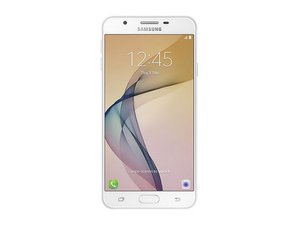
2016年9月発売。 モデル番号 SM-G610 で識別可能。
J7 prime @j7prime41875
評価: 1
投稿日: 2025年9月1日
My phone does not detecting SIM
この質問は役に立ちましたか?
1件のコメント:
Basic troubleshooting for a Samsung Galaxy J7 Prime not detecting SIM:
1. Test the SIM card in another phone – if it works there, the issue is with your phone.
2. Clean the SIM card and tray – use a dry cloth or a cotton swab with isopropyl alcohol.
3. Restart the phone – sometimes the SIM is detected only after reboot.
4. Check SIM settings – go to Settings → Connections → SIM card manager.
5. Try another SIM card – to rule out a faulty SIM.
6. Software – update the phone, or perform a factory reset (back up data first).
7. Hardware – if none of the above works, the SIM reader may be worn out or defective. Fixing it requires replacing the SIM slot or motherboard.
Markus Norstrøm さんによる2025年9月1日
過去 24時間: 0
過去 7 日: 2
過去 30 日: 13
今までの合計 133


Basic troubleshooting for a Samsung Galaxy J7 Prime not detecting SIM:
1. Test the SIM card in another phone – if it works there, the issue is with your phone.
2. Clean the SIM card and tray – use a dry cloth or a cotton swab with isopropyl alcohol.
3. Restart the phone – sometimes the SIM is detected only after reboot.
4. Check SIM settings – go to Settings → Connections → SIM card manager.
5. Try another SIM card – to rule out a faulty SIM.
6. Software – update the phone, or perform a factory reset (back up data first).
7. Hardware – if none of the above works, the SIM reader may be worn out or defective. Fixing it requires replacing the SIM slot or motherboard.
Markus Norstrøm さんによる