修理ガイド
手順毎の修理ガイドを使って、何にでも修理できる方法を学ぶ
アプリ
あなたの便利なリペアヘルパー。
FixBot
フレンドリーなAIリペアアシスタント。
リペアビリティ
修理できる製品がなぜ良いのでしょうか
分解
最新ガジェットの内側を覗いてみる
アンサーフォーラム
解決方法を共有して、友人に助けてもらう
自分に合うコミュニティを見つける
チーム、イベント、フィクサー仲間を探す。
ヘルプ・アウト
修理の知識を誰でも無料で利用できるようにする。
修理する権利
修理する権利のムーブメントやこの支持者になる方法を知る。
おすすめ
高品質のパーツとツールには、iFixitの生涯保証が付けられています。
ツール
精密ツールの厳選セレクションを見る
パーツ
iFixitの品質基準を満たしたパーツを購入する
iPhoneバッテリー
バッテリーは検査済みで保証付き、必要なすべてが揃ったキット。
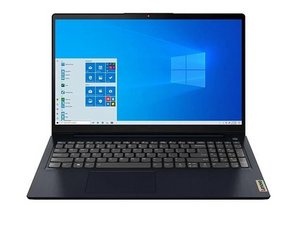
Lenovo IdeaPad 3/3i 15ITL6は、Intel 第11世代プラットフォームをベースにしたIdeaPad 3の15インチモデルです。CPU、RAM、SSDの構成が異なる複数のモデルが存在しますが、修理方法は基本的にすべて同じです。2020年発売。
Shivangi Sharma @shivangish55199
評価: 13
1
投稿日: 2025年7月19日
After doing update in laptop my laptop cursor is not working
この質問は役に立ちましたか?
1件のコメント:
Check if Touchpad is Disabled. Sometimes updates reset settings. Press the shortcut key to enable the touchpad, usually:
Fn + F6 or Fn + F8 (look for a touchpad icon on your function keys).
Asha Kanta Sharma さんによる2025年7月19日
過去 24時間: 0
過去 7 日: 5
過去 30 日: 14
今までの合計 128

 1
1 
Check if Touchpad is Disabled. Sometimes updates reset settings. Press the shortcut key to enable the touchpad, usually:
Fn + F6 or Fn + F8 (look for a touchpad icon on your function keys).
Asha Kanta Sharma さんによる