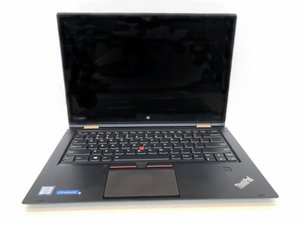

Replacement Battery Not detected
May I have team opinion on why the replacement battery not detected as if not connected?
この質問は役に立ちましたか?
スコア
0
May I have team opinion on why the replacement battery not detected as if not connected?
この質問は役に立ちましたか?
評価: 101.9千
 161
161
 89
89
 157
157
Most laptop and cell phone batteries have a small circuit board called a Battery Management System, or BMS, built into them that communicates with the processor to provide information such as amount of charge, current flow and temperature. For some reason the CPU in your ThinkPad can't seem to talk to the replacement battery, so it thinks there isn't one connected. If you put your old battery back in and it works correctly, then I'd assume you simply got a defective battery. It happens.
If your old battery works fine, I'd suggest contacting your supplier about a replacement.
If your old battery is no longer detected either, I'd check the connector on the motherboard for damage. Look for any bent or broken pins; bent ones can sometimes be straightened with a pair of fine tip tweezers, but broken or missing pins would obviously be a more serious problem.
Lenovo has support pages for its products, and one of them does have instructions on updating the BIOS. Here's what I found.
Popular Topics: BIOS, UEFI - Lenovo Support US
I see no reason why your old battery shouldn't continue to work after a BIOS update. I assume the iFixit staff wants to make sure that the problem isn't an outdated BIOS that doesn't know how to talk to their battery, which may use newer protocols than your existing battery, so that may take a BIOS update.
I wasn't aware you had bought the battery from iFixit; I'm not an employee, just a volunteer moderator, so if you want to talk to them directly in the future regarding iFixit products, you should go ahead and post on their meta.ifixit.com site or email them directly at support@ifixit.com.
このアンサーは役に立ちましたか?
IFIXIT asked me to update BIOS before sending a replacement, but i got lost in the provided link on how to update BIOS Are there any step-by-step processes to do that? If I update BIOS, and the new battery doesn't work, can i use my old battery after updating the BIOS?
過去 24時間: 1
過去 7 日: 5
過去 30 日: 42
今までの合計 692

