
メインコンテンツにスキップ
リペアコミュニティに参加 - アカウントの作成

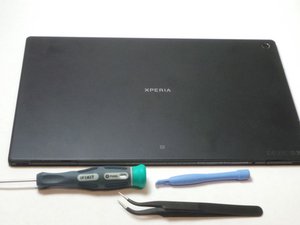
Released May, 2013. Display - 1200 x 1920 pixels, 10.1 inches. Chipset - Qualcomm Snapdragon APQ8064, CPU - Quad-core 1.5 GHz Krait, GPU - Adreno 320. Memory - 16/32 GB, 2 GB RAM. Android OS, v4.1.2 (Jelly Bean), upgradаble to v4.4.2 (KitKat).

Comment procéder au Factory reset

Comment restaurer une tablette sony xperia ?

この質問に回答する 同じ問題があります

この質問は役に立ちましたか?

スコア 0
コメントを追加

1 件の回答

最も参考になった回答

Hi @patientkitiaka

  • If you can still access the tablet, go to Menu > Settings > Backup & reset > Factory data reset.
  • To perform a factory reset using the buttons, turn off the tablet and then, press and hold the Volume Down + Power button (both together) until the Recovery menu appears. Use the Volume buttons to navigate to the Wipe data/factory restore option and then press the Power button to confirm.

このアンサーは役に立ちましたか?

スコア 1
コメントを追加

回答を追加する

Patient KITIAKA さん、ありがとうございました!
統計データ:

過去 24時間: 0

過去 7 日: 2

過去 30 日: 14

今までの合計 126
