
メインコンテンツにスキップ

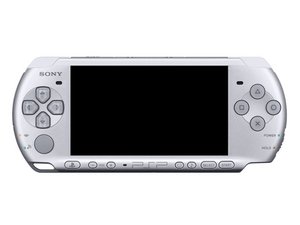
2008年10月15日に米国内で発売されました。

WLAN switch is not moving

I’ve recently gotten a PSP 3001 and I was trying to connect to the internet but to my surprise the WLAN switch was jammed and just not moving no matter what. I’m not an expert with disassembling electronics but I will if I have to. Anything helps

Update (03/04/25)

Here’s a vid of it

回答がありました! 回答を表示 同じ問題があります

この質問は役に立ちましたか?

スコア 0
6 件のコメント

Hi! Can you share a video with us?? Thanks!

さんによる

@dan0 just edited the question with one if you wanna take a look

さんによる

Hmm, it won’t play. Can you upload it somewhere and share it? Sorry!

さんによる

@dan0 that’s fine, I’m uploading the vid to YT rn, my service isn’t that good tho so it might not upload for a while, I’ll update when it does

さんによる

1以上のコメントを表示

コメントを追加

1 件の回答

ベストアンサー

Thanks for the video! That worked :)!

Okay, now the only question is, is it the switch it self or is the shell where it’s stuck at.

I recommend to open it up and inspect this! If it is the switch it self, then you do need to replace that one! Unfortunately, it’s soldered on the motherboard… so you do need soldering experience to replace it. If it is the shell, then you can replace the shell to get it fixed! Either way, it does need to be opened so you know for sure what it is. Sorry!

このアンサーは役に立ちましたか?

スコア 1

2 件のコメント:

Thanks for info, though my solution was a little stranger. When I had gotten home it had just randomly started moving smoothly again? Weird but my top theory is my old battery was starting to get bloated and it maybe was pushing the shell to make it harder

さんによる

Ahh, never knew that a swollen battery could cause this. I know that the original batteries are getting bad and do swell a lot these days. Good to hear that it is fixed now :)! Have fun gaming and take care!!

さんによる

コメントを追加

回答を追加する

BurgerMan101 さん、ありがとうございました!
統計データ:

過去 24時間: 2

過去 7 日: 9

過去 30 日: 29

今までの合計 322
