
 1
1 Mac Mini resets itself
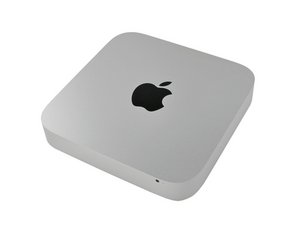
My Mac mini, 2.5GHz Dual Core i5 "Mid 2011" (High Sierra) resets itself several times a day.
performed an NVRAM, performed an SMC reset, booted on Safe mode, changed memory module, without success
I would really appreciate some ideas to start looking for the cause.
Update (02/15/25)
Found on this site:
"I disagree with the power supply diagnosis. Unless you have set your power save options to restart after power fail, the machine will stay off. Mine does not stay off. None of the others reporting this issue claim it stays off.
I was having the random restart problem several times per day after updating to High Sierra. The suggestions above caused me to start thinking about what functionality might change across releases. I decided to look at Power Save options.
I disabled power save for both system and display (set it to Never). The problem has disappeared. I have been running for a week now without recurrence.
It appears that Apple has introduced misadventure into the Power Save behaviour of (at least) High Sierra on Mid-2011 Mac Minis."
この質問は役に立ちましたか?

 347
347  977
977 
1件のコメント
Found on this site:
"I disagree with the power supply diagnosis. Unless you have set your power save options to restart after power fail, the machine will stay off. Mine does not stay off. None of the others reporting this issue claim it stays off.
I was having the random restart problem several times per day after updating to High Sierra. The suggestions above caused me to start thinking about what functionality might change across releases. I decided to look at Power Save options.
I disabled power save for both system and display (set it to Never). The problem has disappeared. I have been running for a week now without recurrence.
It appears that Apple has introduced misadventure into the Power Save behaviour of (at least) High Sierra on Mid-2011 Mac Minis."
Pedro Miteff さんによる