メインコンテンツにスキップ
リペアコミュニティに参加 - アカウントの作成

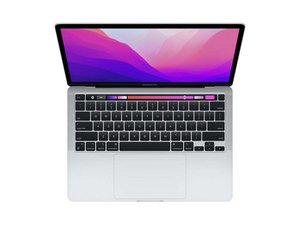
第2世代Apple Silicon(M2チップ)搭載、13.3インチRetinaディスプレイ搭載のMacbook Pro 13インチ用の修理ガイドと説明書です。モデルA2338です。2022年7月15日、WWDC2022でMacbook Air M2とともに初公開。

New battery not working

I followed the guide to replace the new battery. However, when I tried to turn it on to start the calibration process. It just says 62% charged even when plugged in for a while. Nothing moves up or down. Then when I remove the charging cable, the Mac automatically turns off. I have to leave the charging cable connected so it can work.

Already have tried restarting, unplugging the battery connector, holding the power button and plugging it back. Not sure what else to do here?

この質問に回答する 同じ問題があります

この質問は役に立ちましたか?

スコア 0
コメントを追加

1 件の回答

I’m surprised you needed a new battery so soon as this system is still quite new. It sounds like the charging logic within the logic board is having problems. To diagnose further you really need a in-line power meter to place in between your charger and system so you can see the voltages of the system and charger handshake. Here’s one I like Power-Z C240 Portable USB-C Tester, Digital Power Meter, Supports up to 240W and PD3.1 QC5.0, for USB-C

If the charging logic within the logic board is bad you’ll need to find someone with the deeper skills to repair the board and sadly you didn’t need to get a new battery.

このアンサーは役に立ちましたか?

スコア 0

2 件のコメント:

Oh no the issue was that I spilled some water and everything else was fine except the battery, so that is why I needed to replace it since it was showing the service needed message. Do you think it would still be the charging logic?

さんによる

@johnsmith79269 - Well that explains the need of a new battery, time to dig a bit deeper using the USB-C Power Meter. You should see 5volts then transition to 20volts which is the charging voltage.

さんによる

コメントを追加

回答を追加する

John Smith さん、ありがとうございました!
統計データ:

過去 24時間: 4

過去 7 日: 14

過去 30 日: 29

今までの合計 147