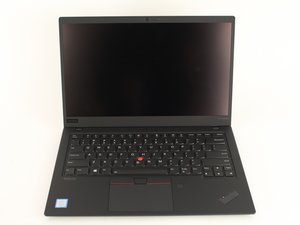

 2
2 Bluetooth not finding any bluetooth devices.
As the title states, when attempting to connect a bluetooth device with Windows 11, there are no bluetooth devices.
The interface can be turned on and turned off, however finding a device is not possible as I cannot connect to any.
I have tried to disable and uninstall the device, update drivers and check for windows updates but to no avail.
Anyone have any ideas?
この質問は役に立ちましたか?
スコア
0

 3
3 


11 件のコメント
Hi @axodouble
Is the laptop's Wi-Fi working OK i.e. finding and staying connected to networks?
Try holding a BT device <20cm from the laptop and check if it is being detected or not.
jayeff さんによる
@jayeff Wifi works fine, holding a device close does not change it, bluetooth devices, no matter what type are not recognized.
Axodouble さんによる
@axodouble
Just verifying that V23.40.0.2 BT drivers are the ones installed?
Also assuming you upgraded from Win10 did the BT work OK then?
jayeff さんによる
@jayeff Cannot confirm if it worked on windows 10 as I only just installed the device from inventory.
However, reinstalling the linked drivers did change the issue a bit as now the device does appear, however it fails to connect and requests me to "Try connecting your device again." in red, same happens after rebooting and with other devices too still.
So we are a step closer...
For some more information, I am trying to connect a thinkpad silent mouse, which should work as it works on other laptops of the same model too.
Axodouble さんによる
@axodouble
I know you said that the Wi-Fi works OK but check if you have the latest drivers installed for it as well.
My thinking is that usually the WiFi and BT are on the same IC chip and in your laptop this chip is hardmounted on the motherboard so not easily replaceable, so there may be some problems because of this. Also the WiFi driver is marked "critical". Never hurts to check anyway ;-)
jayeff さんによる
6件以上のコメントを表示