
メインコンテンツにスキップ
リペアコミュニティに参加 - アカウントの作成

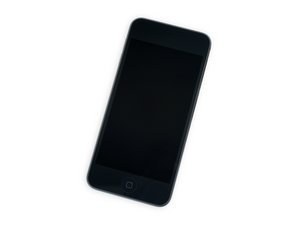
2019年5月に発売されたAppleのiPod Touchの第7世代モデル。このモデルにはA10プロセッサと256GBストーレッジが搭載されています。モデル番号はA2178。

Battery removal is never mentioned

In all of the answers after step 22 -all the guides instruct to set aside the battery to the left. None of them say actually how to remove the battery in full.

How it is done? Thanks all- I just need to service the battery.

回答がありました! 回答を表示 同じ問題があります

この質問は役に立ちましたか?

スコア 1
コメントを追加

1 件の回答

ベストアンサー

The battery is soldered to th logic board, so you’ll need to have some basic command of soldering to remove it and replace with a new one.

If you have a look at the battery, it’s not like the other components that have a connector which snaps into something on the board. There is some tape covering the contacts on the board. You’ll need to desolder the connector here and solder on a new battery.

Replace a battery compatible with a 6th or 7th generation iPod touch model A1574 or A2178. Part #020-00425. Battery Model #A1641. 3.83 Volts (V).の画像

製品

iPod touch (6th and 7th Gen) Battery

$19.99

このアンサーは役に立ちましたか?

スコア 4

1件のコメント:

Thanks- Fix-ability of this product seems low- I might not tackle it.

さんによる

コメントを追加

回答を追加する

Paolo Alberto さん、ありがとうございました!
統計データ:

過去 24時間: 0

過去 7 日: 7

過去 30 日: 27

今までの合計 310