
メインコンテンツにスキップ
リペアコミュニティに参加 - アカウントの作成

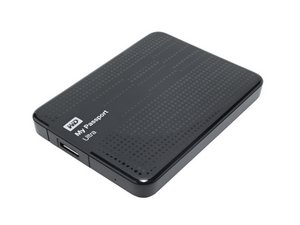
Western Digital My Passport Ultraは、500GBから5TBまでの容量を持つUSB3.0ポータブルストレージデバイスです。

Prying open hard drive

Hello - the actual external hard drive I have is a Western Digital easystore 2TB hard drive. The reason I chose the My Passport Ultra is because its practically the same size, form and shape as the easystore EXHD I have. Unfortunately earlier this year when I was getting my new computer all setup, I dropped this hard drive of mine on the floor as it was on top of the CPU. Now, the hard drive just makes a clicking noise every time I plug it in. I wanted to see if there was a way I can extricate the hard drive itself from the case and use a recovery reader I have . However, it seems impossible to do with no way to slither my way through the edge of the hard drive casing.

Block Image

Thank you

-Jordan

この質問に回答する 同じ問題があります

この質問は役に立ちましたか?

スコア 2
コメントを追加

2件の回答

最も参考になった回答

That's fairly risky if it is your first time. there will be tutorials available online. since it can be risky make sure to clone your drive before hand. a lot of free tools out there. you can use Remo Free Disk Clone Software if you want a fast and effective option.

However, I would insist that you simply just take it to a shop as a lot could go wrong here.

このアンサーは役に立ちましたか?

スコア 1
コメントを追加

@jordan18927 yup, same tabs. You may just need to change the "angle of approach" and a bit more rigid tools. Check on here for the how-to proceed. this is just an example and not an endorsement

このアンサーは役に立ちましたか?

スコア 0
コメントを追加

回答を追加する

Jordan さん、ありがとうございました!
統計データ:

過去 24時間: 2

過去 7 日: 42

過去 30 日: 126

今までの合計 1,083

