
メインコンテンツにスキップ
リペアコミュニティに参加 - アカウントの作成

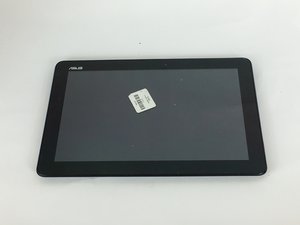
Asus, inc.が2009年に発売したタブレットです。1.6GHzのクアッドコアプロセッサ、10.1インチの1280 x 800 HDディスプレイを搭載し、最大9.5時間のバッテリー駆動時間で一日中利用できます。

Updating the Android version of the tablet

Hi,

I would like to continue using my tablet but with the Android version it has it is impossible to use it. I reset it and I can barely do anything with it.

I would like to continue using it rather than having to throw it away.

Maybe you have any idea about how to install a newer Android version that the tablet could use.

Thanks in advance for your help!

Joseba

この質問に回答する 同じ問題があります

この質問は役に立ちましたか?

スコア 0
コメントを追加

1 件の回答

最も参考になった回答

The ASUS web site has a firmware update for your device:

Click here for ASUS MeMo Pad 10 (ME102A) Firmware Update

ASUS MeMO Pad 10 (ME102A) Software Image Version: V3.11.0.100 For TW SKU only*

SUPPORTTABS_VERSION TW_V3.11.0.100

855.96 MB

2014/12/05

Steps of Update:
1. Check software version of your device**
2. Download device software and Update SOP (From “Manual” Item)
3. Only apply to same SKU update, Example: WW->WW, CN->CN, TW->TW.
4. Software update cannot transfer the software SKU and downgrade the software version.
5. Wrong SKU may cause update failure, please update the same SKU version only.
*How to know the device model?
Path: Settings->About-> Model number
Example: ASUS PadFone2
**How to know the device software version?
Path: Settings->About-> software information->Build number
Example: CHT_PadFone2-user-10.4.17.15-UpdateLauncher
*System upgrade may cause part of data missing, please buckup your important data before system upgrading.

このアンサーは役に立ちましたか?

スコア 1
コメントを追加

回答を追加する

JosebaDZN さん、ありがとうございました!
統計データ:

過去 24時間: 2

過去 7 日: 7

過去 30 日: 38

今までの合計 1,901