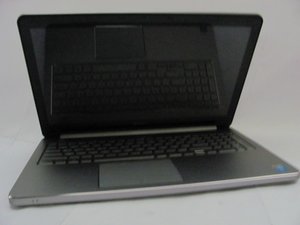

Faulty screen or cable?
Hello,
I have this problem with my laptot screen:


I whant to fix it but I don´t know if is a faulty LCD or the cable. I´m afraid of buying the LCD and the problem is the video cable.
Can anyone help?
Model: Dell Inspiron 5558
評価: 13
 1
1
評価: 43.5千
29
 57
57
 44
44
This is an issue with the backlight circuits not getting adequate power to come on all the way.
This could be a cable problem if the cable were pinched or slightly torn going through the hinge. Does the screen behavior change at all if you move the display? If so, it’s more likely to be the screen in my opinion. Can you confirm the exact model of the unit so we can verify how the screen works?
このアンサーは役に立ちましたか?
Hello,
Model is: InnoLux N156BGE -E42
Now I can’t see anything on the screen anymore. The screen is very dark
評価: 552.3千
11
425
1.6千
With the laptop turned on, try shining a torch at an angle close to the screen and check if you can see any images at all.
They will be very faint if they are there so try this in a darkened room to help.
If there are images then it is a backlight problem.
Where the problem is i.e. motherboard, cable or screen has to be determined.
If you have a DMM (digital multimeter) check what voltage is measured on the LVDS cable pins 38-40.
These are the pins used for the backlight power supply from the motherboard.
Also check if there is a voltage on pin 36.
This is the backlight enable lead. There is always power being supplied to the backlight circuit, BUT it is turned on and off in the screen by a signal on the backlight enable lead. Usually the voltage value on this lead is 3V-5V DC.
If there is voltage on the power and enable pins (pins 36, 38-40 - check at the screen end if possible) then the problem is in the screen.
If there is no voltage at the screen end of the cable on the pins 36, 38-40, then check the motherboard end of the cable. If there is voltage there on all of the pins, then it is the cable.
It needs to be on all of them. If one or more is missing it won't work correctly.
このアンサーは役に立ちましたか?
過去 24時間: 0
過去 7 日: 3
過去 30 日: 27
今までの合計 415


