
メインコンテンツにスキップ
リペアコミュニティに参加 - アカウントの作成

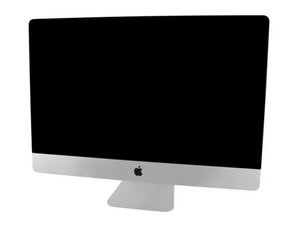
モデル番号A1419 / Late 2013 / 3.2 & 3.4 GHz Core i5もしくは3.5 GHz Core i7 Processor, ID iMac14,2

Internal ssd cannot be formatted

Yesterday I replaced my HDD with an SSD in my 2013 27-inch iMac. Today I went to disk utility to format the drive and install mac os and got this error. I am not sure what to do about it as there is not much information online. when I got to the info section about the drive it also revealed that I can't really do much with it. Any tips would be greatly appreciated!

cl

Block Image
Block Image

Here is the kit I used. it is from owc. https://www.amazon.com/gp/product/B076L1...

回答がありました! 回答を表示 同じ問題があります

この質問は役に立ちましたか?

スコア 1
コメントを追加

1 件の回答

ベストアンサー

Sorry I don’t see the formatting error only the details of the drive.

You need to use Disk Utility to format the drive how did you achieve booting up your system? As a bootable MacOS drive should have the utility present within the Apps > Utility folder.

OK I guess I jumped the gun as you hadn’t posted it yet.

So what is OS version you are using here?

このアンサーは役に立ちましたか?

スコア 1

4 件のコメント:

I am using disk utility through the install menu. and I am installing ventura (which I know is not supported on my device, I am using open core legacy patcher to do so, which I have done before on this same exact computer and it worked fine)

さんによる

@willopillo - I would recommend you create a bootable USB thumb drive with Catalina and try the Disk Utility it offers.

I’ve seen some odd behavior with these OS patchers so I would like to rule it out first.

さんによる

Yes! Thank you! I have an old HDD with el capitan installed, booted that up and it let me format the drive, then I was able to install ventura with the patcher and it is working great!

さんによる

@willopillo - You might want to create a bootable 32GB thumb drive as I find it works better!

さんによる

コメントを追加

回答を追加する

Willopillo11 さん、ありがとうございました!
統計データ:

過去 24時間: 2

過去 7 日: 8

過去 30 日: 43

今までの合計 341
