
メインコンテンツにスキップ
リペアコミュニティに参加 - アカウントの作成

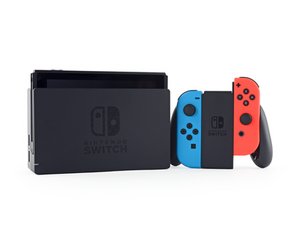
任天堂スイッチは、ドッキングステーションを介してテレビで遊んだり、外出先で遊んだりできる携帯型ゲーム機です。2017年3月3日に発売されました。

SD Card Holder Broken

I recently got my screen repaired and ever since then my SD card wont rea although its in. I recently bought a new SD card and formatted it and inserted into console, it wouldn't read so I tried 3 more times and still wouldn't work.

How do I fix this?

この質問に回答する 同じ問題があります

この質問は役に立ちましたか?

スコア 1
コメントを追加

2件の回答

最も参考になった回答

Hi @gwirl

How long ago since the screen was repaired?

If only recently take it back to the repairer and show them the problem.

Any reputable repairer will give a guarantee on their work even if only for 30 days and that means that the device should have been fully tested and working before it was handed back to you.

You can always check that the SD card reader is connected properly to the motherboard. Here's the ifixit Nintendo Switchのマザーボードの交換 guide. The SD Card reader can be seen being removed at Steps. 9-10

このアンサーは役に立ちましたか?

スコア 1
コメントを追加

Hi Nate,

Actually, I'm going to point you to a different guide, the SD Card Reader guide; it only deals with the reader.

Nintendo Switch Micro SD Card Reader Replacement - iFixit Repair Guide

There's a note at the final step about reassembly that you'll be particularly interested in.

During reassembly, make sure the press connector underneath the foam pad is firmly connected to the motherboard. It may help to remove the foam pad before reinstalling the card reader.

When I was writing the midframe replacement guide, the only issue I ran into was with the SD card reader; I hadn't gotten it plugged in all the way and had to open it up again and redo it. Removing the foam pad was the key for me; I could then feel when the connector snapped in place and once I reglued the pad and closed it all up again, it was all good.

So yeah, take @jayeff's advice and open it up and check that connector; with any luck that's all it is and you'll be up and running again soon.

Good luck; let us know what you find.

このアンサーは役に立ちましたか?

スコア 1
コメントを追加

回答を追加する

Nate Johnston さん、ありがとうございました!
統計データ:

過去 24時間: 0

過去 7 日: 0

過去 30 日: 16

今までの合計 181