
修理ガイド
手順毎の修理ガイドを使って、何にでも修理できる方法を学ぶ
アプリ
あなたの便利なリペアヘルパー。
FixBot
フレンドリーなAIリペアアシスタント。
リペアビリティ
修理できる製品がなぜ良いのでしょうか
分解
最新ガジェットの内側を覗いてみる
アンサーフォーラム
解決方法を共有して、友人に助けてもらう
自分に合うコミュニティを見つける
チーム、イベント、フィクサー仲間を探す。
ヘルプ・アウト
修理の知識を誰でも無料で利用できるようにする。
修理する権利
修理する権利のムーブメントやこの支持者になる方法を知る。
おすすめ
高品質のパーツとツールには、iFixitの生涯保証が付けられています。
ツール
精密ツールの厳選セレクションを見る
パーツ
iFixitの品質基準を満たしたパーツを購入する
iPhoneバッテリー
バッテリーは検査済みで保証付き、必要なすべてが揃ったキット。
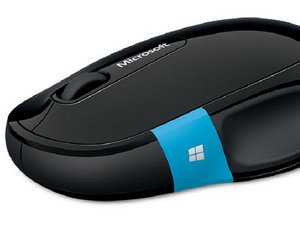
Microsoft Bluetooth mouse, part of the Sculpt family of computer peripherials.
Tammy VT @katwmn715
評価: 1
投稿日: 2022年11月11日
I put new batteries in mouse, Blue light is on along with Green light but mouse does not move on screen???
この質問は役に立ちましたか?
1件のコメント:
Did it work fine before old batteries died out? If it's the first time you're using it on your PC, did you install the required drivers correctly?
Simone さんによる2022年11月13日
William @willjoe
評価: 985
4
1
投稿日: 2022年11月14日
Check that the battery of the mouse is charged. Make sure that the receiver (dongle) is firmly plugged in to the computer. If your mouse and receiver can operate on different radio channels, make sure that they are both set to the same channel.
Regards,
Will
このアンサーは役に立ちましたか?
過去 24時間: 1
過去 7 日: 4
過去 30 日: 33
今までの合計 673
Did it work fine before old batteries died out? If it's the first time you're using it on your PC, did you install the required drivers correctly?
Simone さんによる
