
メインコンテンツにスキップ
リペアコミュニティに参加 - アカウントの作成

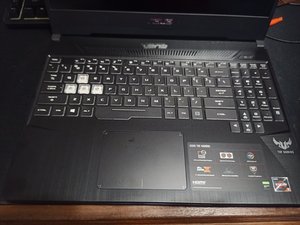
ASUS TUF Gaming Laptop - FX505D-DBQ234T with i5-8750H and Nvidia gforce GTX. MFD-2019-05.

ASUS FX505DU-MB53 Will Not Power On...

I was using my laptop on a zoom meeting, when it said that it had 10% remaining. I plugged it in and went on with the meeting. Shortly later the device went blank and shut off. I checked all of the connections on the charger and it still did not even show any indicating lights. Is there a good way to safely check the charger functionality? Or is is something else. Thank you in advance for your help. :)

回答がありました! 回答を表示 同じ問題があります

この質問は役に立ちましたか?

スコア 1
コメントを追加

1 件の回答

ベストアンサー

Joesph Dunne you want to check your charger first. Use an voltmeter to check the output. Positive probe from the voltmeter into the barrel hole and negative probe on the outside. If you are unsure how to do that post an image of the connector with your question so we can explain it better. If your charger has the right output (19.5V) you know it is working. then check your DC adapter on your Asus make sure that the center pin is okay and that it is all clean. After that you will have to open your computer and check the voltages on the inside of the DC connector. Start with the easy stuff first. Also, do not forget to try another outlet in the house just in case that is not working correctly.

このアンサーは役に立ちましたか?

スコア 1

1件のコメント:

Thank you! I did the checking... The charger works but the port is not giving any readings. I will try to replace the DC-In board but if that does not work, I will take it to a shop.

さんによる

コメントを追加

回答を追加する

Joesph Dunne さん、ありがとうございました!
統計データ:

過去 24時間: 1

過去 7 日: 2

過去 30 日: 22

今までの合計 711
