
 1
1  1
1 Problem with screen or motherboad?
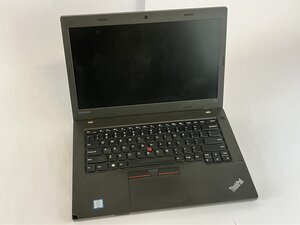
My lenovo T460 has no 3.3V and no other voltages on screen controller board (CON) except the 20V on the connector and in a big coil. Also no backlight and no picture. Is it possible to have fry anything in main motherboad ? (My hdmi output working normally with my external monitor).
Initially I changed the screen cable, because my screen was changing colors and making vertical shades with freezing picture, especially when the lid was moving.
Initially the problem seems to had be solved ,but after 5 min the problems return, so I opened the screen and begun probing on the CON for voltages and any defect cups and at that time the backlight and the picture was on, with the defects showing..
Now it's only a black screen.(with working hdmi output to TV)
The question is how do I know that I haven't done anything wrong with the motherboard, while I was probing the screen con board ? The 3.3V and other voltages are coming from the motherboard though the screen cable or from the lcd controller board?
Where could I have to start searching ?
I Appreciate your time
この質問は役に立ちましたか?

 1.6千
1.6千 
1件のコメント
Mine has no display but shows charging light and power light
Casey teska さんによる