
メインコンテンツにスキップ
リペアコミュニティに参加 - アカウントの作成

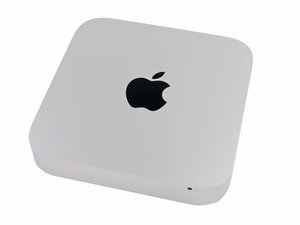
2014年10月16に発表されました。モデル番号はA1347でEMC番号は2840です。

Upgrading from HDD to SSD

I have a late 2014 Mac Mini with HDD. I would like to upgrade to a hybrid or SSD drive.

Do I need to buy extra hard drive mounting or a different cable or can I just swap the drives?

Does upgrade kit [リンクされた製品が存在しない、もしくは無効: IF107-122-3] seems to imply that there I just need the tools and new hard drive.

回答がありました! 回答を表示 同じ問題があります

この質問は役に立ちましたか?

スコア 0
コメントを追加

1 件の回答

ベストアンサー

The easiest upgrade is to swap out the HD for the Seagate SSHD drive or 2.5" SSD. Here's the IFIXIT guide: Mac Mini Late 2014 Hard Drive Replacement.

Your other option is to add the Apple blade SSD and keep the HD. This will require either replacing the drive frame with one that has the blade SSD ribbon cable or install the ribbon cable Blade SSD Flex Cable for Apple Mac Mini A1347 Late 2014 and then the correct SSD

このアンサーは役に立ちましたか?

スコア 2

3 件のコメント:

Hi Dan,

To be clear -- if swapping out for the Seagate Hybrid drive or a 2.5" SSD drive, I wouldn't need any other cables or frames, correct?

Would any 2.5" SATA SSD work, such as this one? https://www.amazon.com/Crucial-512GB-2-5...

さんによる

Review the guide you'll see there is no other parts needed for switching the 2,5" SATA drive out. Its only if you Add the SSD blade drive will you need any other parts.

さんによる

You may want to get this though to help you copy over your stuff to the new drive: Startech 2.5" SATA to USB adapter if you don't get the full IFIXIT kit

さんによる

コメントを追加

回答を追加する

George さん、ありがとうございました!
統計データ:

過去 24時間: 2

過去 7 日: 15

過去 30 日: 68

今までの合計 2,095
