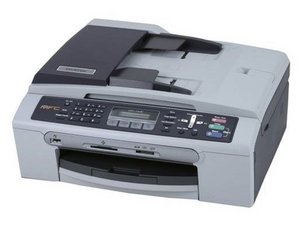

paper jam every time
every time i try to print the paper jams ..need help
この質問は役に立ちましたか?
スコア
1
評価: 13
 1
1
 1
1
every time i try to print the paper jams ..need help
この質問は役に立ちましたか?
評価: 101.6千
8
189
 359
359
@slimwen , It may be time to give your printer a good cleaning especially the pick up/feed rollers. Use the links below for more troubleshooting and cleaning of the rollers, last link is to the printers manual. Good luck.
I hope this helped you out, if so let me know by pressing the helpful button.
http://support.brother.com/g/b/faqend.as...
このアンサーは役に立ちましたか?
THis is the original poster. It is impossible at this point to give the printer a good cleaning. Because the paper is to jammed into the rollers, I need to get the paper and the paper tray out before I can do anything else. How do I get the paper tray out - it is totally STUCK in there because this WAD of paper is stuck in the rollers
評価: 25
1
Generally, people face the brother printer paper jam error due to the several reasons. here are the steps to fix it.
1. Whenever you get an broken paper as an output or it is stucked in the printer, you need to switch off the printer and let the machine cool for a while.
2. Open the printer’s front panel and remove the toner from your printer.
3. Now remove the printer header from your device, and remove the paper, if available inside the machine.
4. Now you need to open the back panel, and remove the paper from their as well.
5. Finally, you need to close the front panel, back panel and header.
このアンサーは役に立ちましたか?
I have a brand new brother and every 2nd or 3rd (single paper) print, the machine says there is a paper jam. ITS BRAND NEW!!! So it should not need cleaning. Ive printed maybe 50 sheets of paper, one at a time, and guaranteed, every time I go to print something this stupid machine will screw it up.
このアンサーは役に立ちましたか?
Hi,
If it is brand new take it back to where you bought it and get another one.
If the retailer won't help, consult the warranty information that came with the printer about how to get a manufacturer's warranty repair or replacement.
過去 24時間: 2
過去 7 日: 26
過去 30 日: 167
今までの合計 32,346



