メインコンテンツにスキップ

Improved second generation Google-branded tablet with a 7" screen.

How can I replace the microphone?

Hello, I bought a refurbished nexus 7 2nd generation tablet, and the microphone doesn't seems to work. Anyone in a video or audio chat only hear faint popping sounds.

I was looking to replace the microphone if that's possible. Does anyone have any tips or instructions on how to do this? I can't seem to find anything online regarding this topic for the 2nd gen nexus 7. Thanks!

この質問に回答する 同じ問題があります

この質問は役に立ちましたか?

スコア 2
1件のコメント

i have this problem too)

さんによる

コメントを追加

2件の回答

最も参考になった回答

Nexus 7 (2013) microphone replacement -

For anyone who might have stumbled upon this while looking for a solution to this problem - the microphone is an integral part of the power/volume button cable assembly (black 4x5mm rectangle on the end).

Block Image

Once the device is opened up (which may or may not be easy and may have contributed to damaging the mic in the first place), replacement of that full cable assembly (typically <$10) is very simple. No soldering required. It is held in place by adhesive and electrically connected via a latchable ZIF socket that the small ribbon cable end slips into.

My mic was fine before I replaced the screen, but unusably weak afterwards - only functional by shouting directly into it. Replacement of the cable assembly as described here fixed the problem.

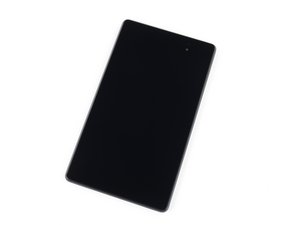
Fix unresponsive volume and power buttons by replacing the internal button switches and their flex cable. This part is compatible with a 2nd generation 2013 Wi-Fi model Google Nexus 7.の画像

製品

Nexus 7 (2nd Gen Wi-Fi) Volume and Power Cable

$9.99

このアンサーは役に立ちましたか?

スコア 2
コメントを追加

Helpful to know it's easy to replace. I use the mic only quite rarely. Unclamp the socket first!

Thanks!

このアンサーは役に立ちましたか?

スコア 0
コメントを追加

回答を追加する

charlescantoni さん、ありがとうございました!
統計データ:

過去 24時間: 0

過去 7 日: 1

過去 30 日: 9

今までの合計 1,535