学生によって寄稿されたWiki
iFixit学生教育プログラムに参加している素晴らしい学生チームが、このWikiを作成しました。
Linsay タブレットの電源が入らない
何をしてもタブレットの電源が入らない状態です。
消耗したバッテリー
タブレットの電源が入らない場合は、タブレットと充電器を電源に接続します。バッテリーが充電しない場合は、新しいバッテリーを購入します。バッテリーの交換修理ガイドはこちらを参照してください。
ディスプレイの不具合
バックライトが破損しているため、何も起こっていないように見える可能性があります。この問題が発生している場合は、バックライトを交換する必要があります。
音質が悪い
タブレットのスピーカーから音が流れない、または音質が悪い状態です。
音量が小さい・ミュートになっている
音量設定が低すぎるか、オフになっている可能性があります。音量ボタンを使用してスピーカーの音量を調整します。
スピーカーの故障
タブレットのスピーカーから音が流れない場合、スピーカーを交換することで問題が解決する可能性があります。
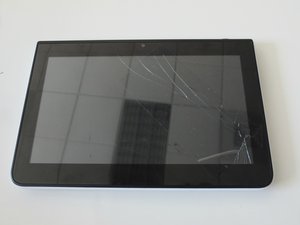
画面が壊れている・割れている
タブレットの画面が粉々になっている、またはひびが入っている状態です。
壊れたスクリーン
タブレットの画面にひびが入っている、または粉々になっている場合は、ガラス製スクリーンを交換することで問題が解決します。スクリーンを交換する修理ガイドはこちらを参照してください。

チーム

Penn State, Team 1-5, Kaschak Winter 2015 Penn State, Team 1-5, Kaschak Winter 2015人のメンバー
PSU-KASCHAK-W15S1G5
3 メンバー
24のガイドは作成済み

10 件のコメント
this is a new tablet it was purchase around 3 mouth ago it will not charge
JOSE - 返信 共有
Bought 3 of these last week and 2 of them don't work. I am not going to pay more money to have someone look at it. Pretty sad that they won't work after 1 week
grannybev_1 - 返信 共有
I bought a Lindsay F-10XHD tablet for my grandson and since we have had it the screen comes on after trying it numerous times. Sometimes won't even come on. Then the volume u can barely hear. Very aggravated with this product!!
Wanda Huff - 返信 共有
My Lindsay turns on but it won't still click on to main screen. I tried to reset as instructed that doesn't work.
Jeu-Wan W'Ray Chatman - 返信 共有
I have only had my table for about 1 week. I turned it off and now when it boots back up only 6 of the 9 dots appear on the screen for me to draw the security design to open the tablet. I have pushed the reset button, restarted it and powered it off and it keeps doing the same thing
jankaza2004 - 返信 共有