


問題
Customer dropped her phone and cracked the screen
修理
Overall, everything went well. However, I did break the screw holding the battery cable down. I tightened it too much and the head broke off. Luckily, I was able to remove the rest of the screw by using tweezers. I did have some trouble getting the antenna reconnected. Lastly, I didn't pay attention when I put the new screen in and I didn't pull the ribbons all the way through. Obviously when I went to reconnect them to the logic board they wouldn't reach. What a bonehead mistake!
アドバイス
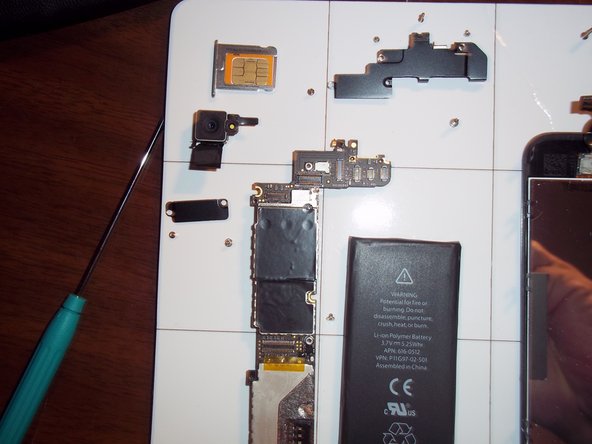
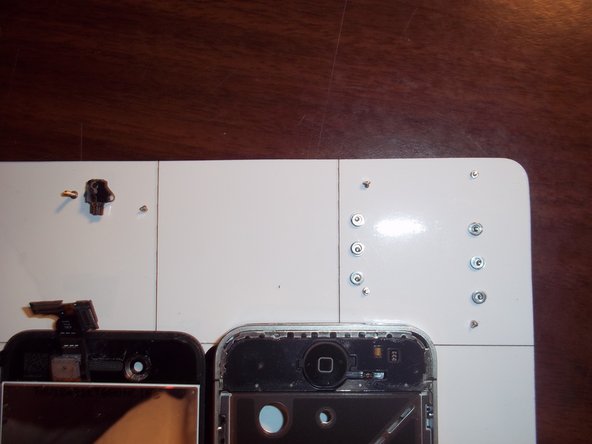
Make sure you don't tighten the screws too much or they'll break. When you put the new screen in MAKE SURE you pull the ribbons all the way through or you'll end up have to tear it all apart again. Connecting the antenna I don't know. I need someone to tell me a better way to connect it. Most of all, I highly recommend the Pro Magnetic Project Mat offered by iFixIt. As you can see by the photos it helps keep all your parts together. Since it has divider lines it makes it easy to keep all the parts and screws together.


0 件のコメント