メインコンテンツにスキップ

iPhone 14 Screen Protector Replacement

必要な工具と部品

  1. iPhone 14 Screen Protector Replacement, Screen Protector: 手順 1、 1の画像 1
    • Power the phone off.

  2. iPhone 14 Screen Protector Replacement: 手順 2、 2の画像 1 iPhone 14 Screen Protector Replacement: 手順 2、 2の画像 2
    • Remove the old screen protector.

  3. iPhone 14 Screen Protector Replacement: 手順 3、 1の画像 1
    • Clean the phone screen.

  4. iPhone 14 Screen Protector Replacement: 手順 4、 1の画像 1
    • Remove any dust with a dust removal sticker.

  5. iPhone 14 Screen Protector Replacement: 手順 5、 1の画像 1
    • Peel off the screen protector adhesive film.

  6. iPhone 14 Screen Protector Replacement: 手順 6、 1の画像 1
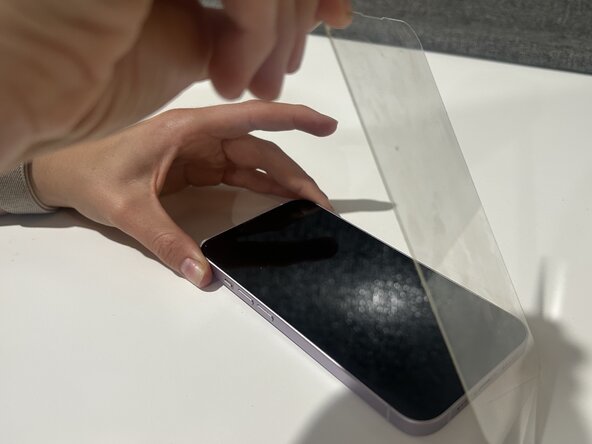
    • Carefully place new screen protector on the phone.

    • Ensure that all edges are properly aligned.

  7. iPhone 14 Screen Protector Replacement: 手順 7、 2の画像 1 iPhone 14 Screen Protector Replacement: 手順 7、 2の画像 2
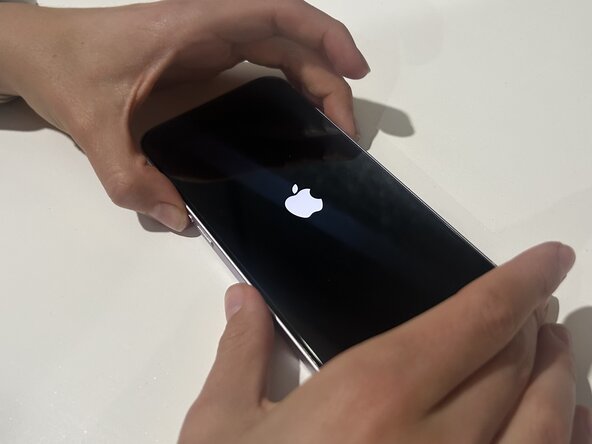
    • Remove any air bubbles on the screen, then turn the phone back on.

終わりに

After following these steps you should be able to fix the screen protector on your iPhone 14!

ある他の人がこのガイドを完成しました。

作成者

1人の作成者と共同作成されました。

Kaitlyn

メンバー登録日: 03/12/25

177 ポイント

1ガイドが承認済み

チーム

Austin Community College, Team 2-3, Kapoor Spring 2025 Austin Community College, Team 2-3, Kapoor Spring 2025人のメンバー

AUSTINCC-KAPOOR-S25S2G3

1 メンバー

3のガイドは作成済み

0件のガイドコメント

コメントを追加

統計データ:

過去 24時間: 3

過去 7 日: 27

過去 30 日: 98

今までの合計 802