メインコンテンツにスキップ
リペアコミュニティに参加 - アカウントの作成

iHome iP1 Motherboard Replacement

必要な工具と部品

    1. iHome iP1 Motherboard Replacement, Back Cover: 手順 1、 1の画像 1
      • Orient the iHome upside down with the speakers facing away from you.

      FixBotに聞いてみる

      コメントを追加

    2. iHome iP1 Motherboard Replacement: 手順 2、 2の画像 1 iHome iP1 Motherboard Replacement: 手順 2、 2の画像 2
      • Remove the four 9.5 mm Phillips #2 screws located on each of the four corners of the iHome's back cover.

      FixBotに聞いてみる

      コメントを追加

    3. iHome iP1 Motherboard Replacement: 手順 3、 1の画像 1
      • Remove the back cover by grabbing its sides and lifting it off the iHome.

      FixBotに聞いてみる

      コメントを追加

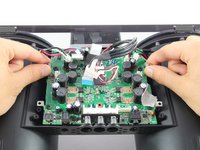
    1. iHome iP1 Motherboard Replacement, Motherboard: 手順 4、 2の画像 1 iHome iP1 Motherboard Replacement, Motherboard: 手順 4、 2の画像 2
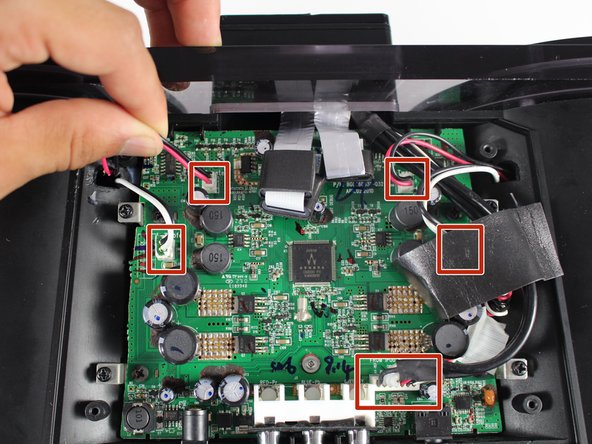
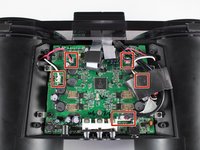
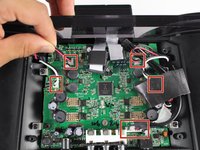
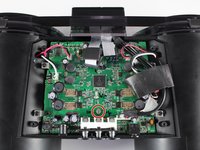
      • Disconnect all five wire bundles attached to the motherboard by pulling them away from their connection.

      • The order in which the wire bundles are removed does not matter.

      • You may need to remove some black foam tape in order fully disconnect some of the wires.

      FixBotに聞いてみる

      コメントを追加

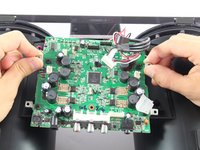
    2. iHome iP1 Motherboard Replacement: 手順 5、 2の画像 1 iHome iP1 Motherboard Replacement: 手順 5、 2の画像 2
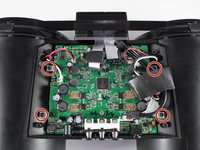
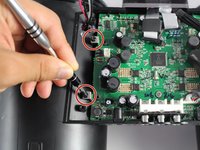
      • Unscrew the four 9.5 mm Phillips #2 screws on the four metal brackets located at each corner of the motherboard.

      FixBotに聞いてみる

      コメントを追加

    3. iHome iP1 Motherboard Replacement: 手順 6、 2の画像 1 iHome iP1 Motherboard Replacement: 手順 6、 2の画像 2
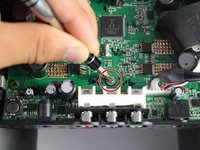
      • Unscrew the grey 6.0 mm Phillips #1 screw directly above the red, blue, and green component ports.

      FixBotに聞いてみる

      コメントを追加

    4. iHome iP1 Motherboard Replacement: 手順 7、 3の画像 1 iHome iP1 Motherboard Replacement: 手順 7、 3の画像 2 iHome iP1 Motherboard Replacement: 手順 7、 3の画像 3
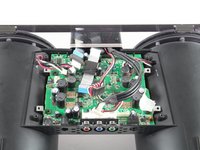
      • Remove the motherboard from its housing by grabbing it near its edges and carefully pulling it upward.

      FixBotに聞いてみる

      コメントを追加

終わりに

To reassemble your device, follow these instructions in reverse order.

キャンセル: このガイドを終了できませんでした。

4 の人々がこのガイドを完成させました。

作成者

4人の作成者と共同で作成されました。

Sachin Shenoi

メンバー登録日: 10/10/16

369 ポイント

2のガイドは作成済み

チーム

Cal Poly, Team 20-1, Livingston Fall 2016 Cal Poly, Team 20-1, Livingston Fall 2016人のメンバー

CPSU-LIVINGSTON-F16S20G1

4 メンバー

14のガイドは作成済み

6件のガイドコメント

Easy to do,

but where can i buy a new motherboard ?

reagrds

Joerg (ifixit@xyz.logopainter.de)

Joerg Peters - 返信 共有

I have the same problem ? Where I can obtain a new motherboard ?

Stefano Antoniutti

anto5657@alice.it

Stefano Antoniutti - 返信 共有

Were you able to buy the motherboard?

Rodrigo - 返信 共有

I have the same problem ? Where I can obtain a new motherboard ?

Rodrigo

rodrigo@r7criacoes.com.br

Rodrigo - 返信 共有

i also facing same issue, where can i get new motherboard ?

riyupc123@gmail.com

Riyu PC - 返信 共有

コメントを追加

統計データ:

過去 24時間: 1

過去 7 日: 7

過去 30 日: 33

今までの合計 2,360