メインコンテンツにスキップ

iFixit Precision Bit Driver Reassembly

必要な工具と部品

  1. iFixit Precision Bit Driver Reassembly, How to reinstall the bearing cap: 手順 1、 3の画像 1 iFixit Precision Bit Driver Reassembly, How to reinstall the bearing cap: 手順 1、 3の画像 2 iFixit Precision Bit Driver Reassembly, How to reinstall the bearing cap: 手順 1、 3の画像 3
    • Unscrew the center of the barrel

    • Note: Assembly utilizes threat locker. You may need tools to unscrew. Use a small piece of duct tape on the smooth part to protect the aluminum.

    • Use pliers on the duct tape, and an adjustable wrench on the flat of the knurled part near the bottom of the screw driver to create leverage to unscrew the barrel.

  2. iFixit Precision Bit Driver Reassembly: 手順 2、 3の画像 1 iFixit Precision Bit Driver Reassembly: 手順 2、 3の画像 2 iFixit Precision Bit Driver Reassembly: 手順 2、 3の画像 3
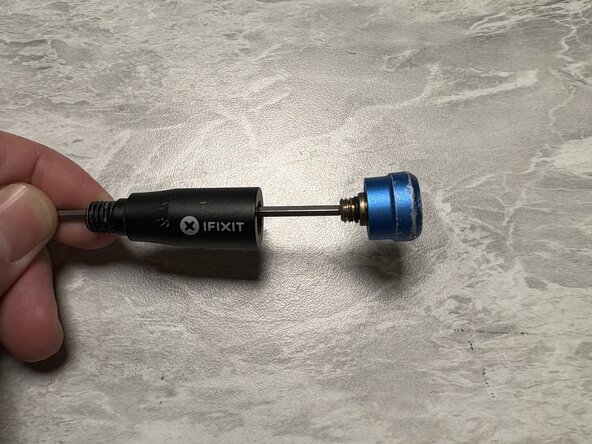
    • Next use a 2.5mm hex key with a long shaft such that it fits all the way through the top half of the screw driver.

    • Insert the bearing/top assembly onto the hex key, and begin tightening the bearing assembly into the screwdriver.

    • Note: threadlocker should not be necessary here as there is an O ring that is responsible for maintaining the thread loading

  3. iFixit Precision Bit Driver Reassembly: 手順 3、 1の画像 1
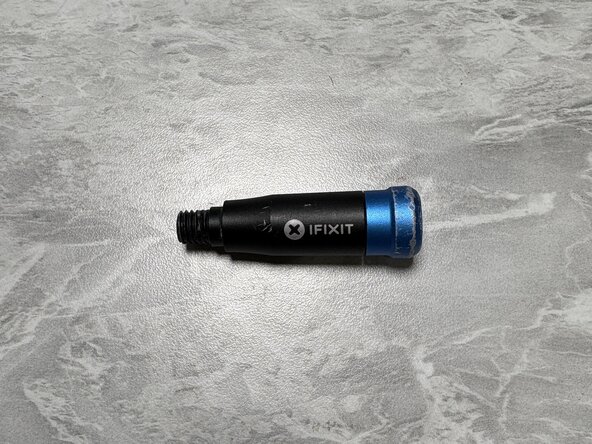
    • Screw the two halves of the barrel back together.

    • While not necessary, some thread locker can be applied to the threads on the upper half of the barrel to prevent the two halves from separating. Be sure to use non-permanent thread locker in case you need to do this again in the future!

  4. iFixit Precision Bit Driver Reassembly: 手順 4、 1の画像 1
    • Voila, enjoy your screw driver.

終わりに

There are other ways to do this, such as the floss trick. But if you have the tools lying around here's the proper way to reassemble your iFixit Precision screwdriver!

ある他の人がこのガイドを完成しました。

作成者

1人の作成者と共同作成されました。

Ricky H

メンバー登録日: 04/13/12

149 ポイント

1ガイドが承認済み

0件のガイドコメント

コメントを追加

統計データ:

過去 24時間: 2

過去 7 日: 13

過去 30 日: 82

今までの合計 996