メインコンテンツにスキップ
リペアコミュニティに参加 - アカウントの作成

Zoom H6 Handy Recorder Mic Connector Replacement

必要な工具と部品

    1. Zoom H6 Handy Recorder Mic Connector Replacement, Case: 手順 1、 3の画像 1 Zoom H6 Handy Recorder Mic Connector Replacement, Case: 手順 1、 3の画像 2 Zoom H6 Handy Recorder Mic Connector Replacement, Case: 手順 1、 3の画像 3
      • Place device face up and pry off the four knobs using the flat end of the plastic opening tool.

      • You may need to stabilize the device with the other hand.

      FixBotに聞いてみる

      コメントを追加

    2. Zoom H6 Handy Recorder Mic Connector Replacement: 手順 2、 3の画像 1 Zoom H6 Handy Recorder Mic Connector Replacement: 手順 2、 3の画像 2 Zoom H6 Handy Recorder Mic Connector Replacement: 手順 2、 3の画像 3
      この手順で使用する道具:
      Tweezers
      $4.99
      • With device facedown, lift the four rubber feet from the device using tweezers or fingernails.

      FixBotに聞いてみる

      コメントを追加

    3. Zoom H6 Handy Recorder Mic Connector Replacement: 手順 3、 2の画像 1 Zoom H6 Handy Recorder Mic Connector Replacement: 手順 3、 2の画像 2
      • With device still facedown, unscrew six (PH #1), 9mm screws; two located in center of back side of device right above the battery cover, and four under the rubber feet.

      • An electronics screwdriver small enough to fit in hole (4mm diameter), but long enough to reach the screws (at least 2cm) will be required to unscrew the screws.

      FixBotに聞いてみる

      コメントを追加

    4. Zoom H6 Handy Recorder Mic Connector Replacement: 手順 4、 3の画像 1 Zoom H6 Handy Recorder Mic Connector Replacement: 手順 4、 3の画像 2 Zoom H6 Handy Recorder Mic Connector Replacement: 手順 4、 3の画像 3
      • With the bottom of the device on a table, lift the top of the device and gently place it aside.

      FixBotに聞いてみる

      コメントを追加

    1. Zoom H6 Handy Recorder Mic Connector Replacement, Motherboard: 手順 5、 3の画像 1 Zoom H6 Handy Recorder Mic Connector Replacement, Motherboard: 手順 5、 3の画像 2 Zoom H6 Handy Recorder Mic Connector Replacement, Motherboard: 手順 5、 3の画像 3
      • Unscrew three (PH #1), 7mm screws from the display backing and gently flip over.

      FixBotに聞いてみる

      コメントを追加

    2. Zoom H6 Handy Recorder Mic Connector Replacement: 手順 6、 3の画像 1 Zoom H6 Handy Recorder Mic Connector Replacement: 手順 6、 3の画像 2 Zoom H6 Handy Recorder Mic Connector Replacement: 手順 6、 3の画像 3
      • Using a plastic opening tool, unlatch the clip and carefully unplug the ribbon connector from the device.

      • Set the button board aside.

      FixBotに聞いてみる

      コメントを追加

    3. Zoom H6 Handy Recorder Mic Connector Replacement: 手順 7、 1の画像 1
      • Unscrew four (PH #1), 8mm screws from the motherboard.

      FixBotに聞いてみる

      コメントを追加

    4. Zoom H6 Handy Recorder Mic Connector Replacement: 手順 8、 1の画像 1
      この手順で使用する道具:
      Tweezers
      $4.99
      • Disconnect wire from motherboard using tweezers.

      • Do not touch the motherboard with metal tweezers. Only touch the plastic part of the plugged-in wire.

      FixBotに聞いてみる

      コメントを追加

    5. Zoom H6 Handy Recorder Mic Connector Replacement: 手順 9、 1の画像 1
      • Turn device 180 degrees to unscrew two (PH #1), 8mm screws from the mic connector.

      FixBotに聞いてみる

      コメントを追加

    6. Zoom H6 Handy Recorder Mic Connector Replacement: 手順 10、 3の画像 1 Zoom H6 Handy Recorder Mic Connector Replacement: 手順 10、 3の画像 2 Zoom H6 Handy Recorder Mic Connector Replacement: 手順 10、 3の画像 3
      • Gently remove three ribbon connectors from the device.

      • The first is connected to the mic connector.

      • The second is connected to the base of the device, and the third is connected to the power switch on the side of the device; turn the device 180 degrees, and the connectors are near the top of the device next to the "LINE OUT" plug-in (directly behind the device display).

      • It's best to use tweezers to remove the two ribbon connectors behind the display.

      • Avoid touching anything but the ribbon connectors with the metal tweezers.

      FixBotに聞いてみる

      コメントを追加

    7. Zoom H6 Handy Recorder Mic Connector Replacement: 手順 11、 2の画像 1 Zoom H6 Handy Recorder Mic Connector Replacement: 手順 11、 2の画像 2
      • Gently lift the motherboard from the base of the device and set aside.

      FixBotに聞いてみる

      コメントを追加

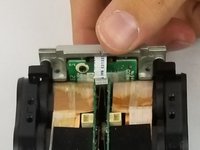
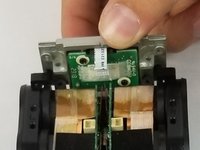
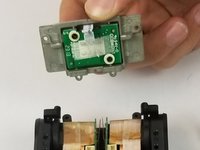
    1. Zoom H6 Handy Recorder Mic Connector Replacement, Mic Connector: 手順 12、 3の画像 1 Zoom H6 Handy Recorder Mic Connector Replacement, Mic Connector: 手順 12、 3の画像 2 Zoom H6 Handy Recorder Mic Connector Replacement, Mic Connector: 手順 12、 3の画像 3
      • Lift the mic connector from the base of the device and replace with a new component.

      FixBotに聞いてみる

      コメントを追加

終わりに

To reassemble your device, follow these instructions in reverse order.

キャンセル: このガイドを終了できませんでした。

ある他の人がこのガイドを完成しました。

作成者

2人の作成者と共同で作成されました。

Rachel Calder

メンバー登録日: 02/14/18

1,273 ポイント

5のガイドは作成済み

チーム

USF Tampa, Team S5-G2, Eyestone Spring 2018 USF Tampa, Team S5-G2, Eyestone Spring 2018人のメンバー

USFT-EYESTONE-S18S5G2

4 メンバー

26のガイドは作成済み

3件のガイドコメント

Hi, Where can I find the part for the Zoom H6 Connector Replacement?

Jorgefilm - 返信 共有

It was an excellent tutorial

Jorgefilm - 返信 共有

Sir i need zoom H6 panel reben yellow

Please help me how to bye online

My email muneerarangady@gmail.com

Muneer Arangady - 返信 共有

コメントを追加

統計データ:

過去 24時間: 2

過去 7 日: 10

過去 30 日: 47

今までの合計 2,103