メインコンテンツにスキップ
リペアコミュニティに参加 - アカウントの作成

UTStarcom CDM8945vw Logic Board Replacement

必要な工具と部品

  1. UTStarcom CDM8945vw Logic Board Replacement, Battery: 手順 1、 1の画像 1
    • Push the highlighted button in the direction in which the antenna is pointing. The battery will release and pop up.

    FixBotに聞いてみる

    コメントを追加

  2. UTStarcom CDM8945vw Logic Board Replacement: 手順 2、 1の画像 1
    • Remove the battery.

    FixBotに聞いてみる

    コメントを追加

  3. UTStarcom CDM8945vw Logic Board Replacement, Antenna: 手順 3、 1の画像 1
    • Identify the antenna. It is the extendable plastic component pictured here.

    FixBotに聞いてみる

    コメントを追加

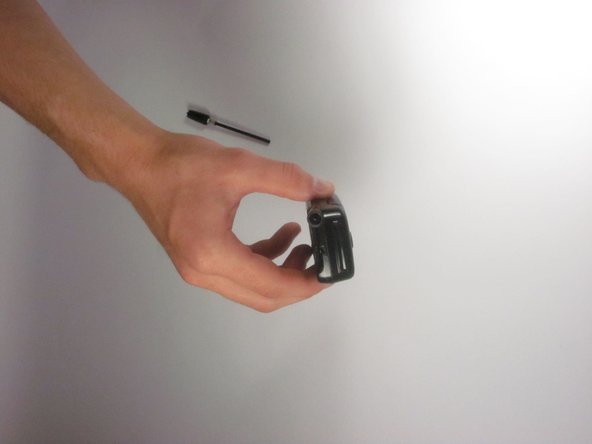
  4. UTStarcom CDM8945vw Logic Board Replacement: 手順 4、 1の画像 1
    • Twist the base in a counter-clockwise motion to unscrew the antenna.

    FixBotに聞いてみる

    コメントを追加

  5. UTStarcom CDM8945vw Logic Board Replacement: 手順 5、 2の画像 1 UTStarcom CDM8945vw Logic Board Replacement: 手順 5、 2の画像 2
    • The antenna should slide right out of the phone when finished.

    FixBotに聞いてみる

    コメントを追加

  6. UTStarcom CDM8945vw Logic Board Replacement, Speaker: 手順 6、 1の画像 1
    • Remove the small rubber grommet using the plastic opening tool.

    FixBotに聞いてみる

    コメントを追加

  7. UTStarcom CDM8945vw Logic Board Replacement: 手順 7、 1の画像 1
    • Remove five screws using a Phillips #00 screwdriver.

    FixBotに聞いてみる

    コメントを追加

  8. UTStarcom CDM8945vw Logic Board Replacement: 手順 8、 1の画像 1
    • Use the plastic opening tool to separate the two pieces that form the outer case of the phone.

    • Prying the two pieces apart may be difficult. Carefully apply a moderate amount of pressure when attempting to separate the two pieces or else you will risk breaking them.

    FixBotに聞いてみる

    コメントを追加

  9. UTStarcom CDM8945vw Logic Board Replacement: 手順 9、 1の画像 1
    • Remove the back piece of the outer case.

    FixBotに聞いてみる

    コメントを追加

  10. UTStarcom CDM8945vw Logic Board Replacement: 手順 10、 1の画像 1
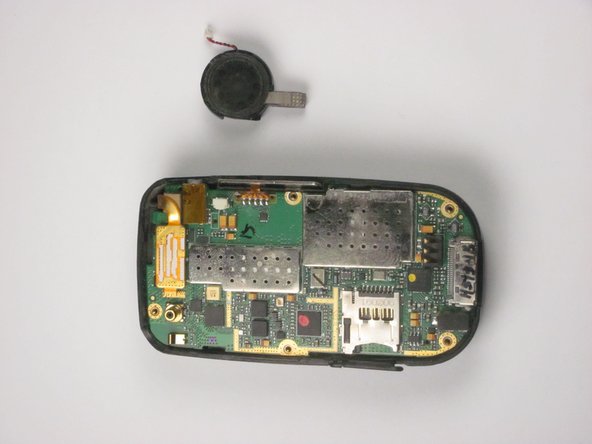
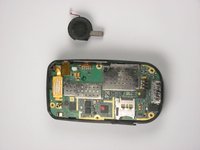
    • Remove the speaker using a plastic opening tool.

    • Apply a small amount of force when removing the broken speaker from the motherboard. If you apply a large amount of force, you may rip out the wires and damage the motherboard.

    FixBotに聞いてみる

    コメントを追加

  11. UTStarcom CDM8945vw Logic Board Replacement: 手順 11、 2の画像 1 UTStarcom CDM8945vw Logic Board Replacement: 手順 11、 2の画像 2
    この手順で使用する道具:
    Tweezers
    $4.99
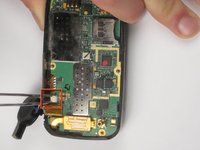
    • Remove the wire attached to the speaker from the motherboard using tweezers.

    • Apply a small amount of force when removing the wire from the motherboard. If you apply a large amount of force, you may rip out the wires and damage the motherboard.

    FixBotに聞いてみる

    コメントを追加

  12. UTStarcom CDM8945vw Logic Board Replacement, Logic Board: 手順 12、 1の画像 1
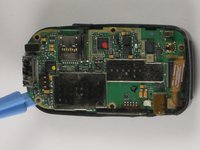
    • Detach the highlighted piece from the logic board using a plastic opening tool.

    FixBotに聞いてみる

    コメントを追加

  13. UTStarcom CDM8945vw Logic Board Replacement: 手順 13、 2の画像 1 UTStarcom CDM8945vw Logic Board Replacement: 手順 13、 2の画像 2
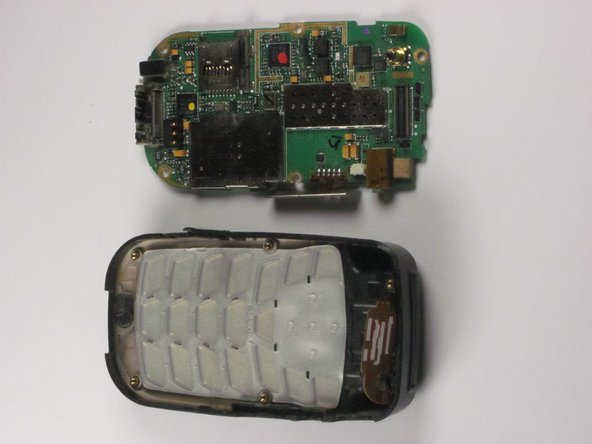
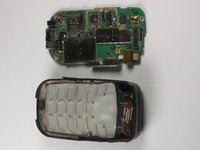
    • Remove the logic board from the anterior piece of the outer case using the plastic opening tool.

    FixBotに聞いてみる

    コメントを追加

終わりに

To reassemble your device, follow these instructions in reverse order.

キャンセル: このガイドを終了できませんでした。

作成者

5人の作成者と共同で作成されました。

Bilal

メンバー登録日: 10/04/12

1 ポイント

1ガイドが承認済み

チーム

Cal Poly, Team 24-26, Regan Fall 2012 Cal Poly, Team 24-26, Regan Fall 2012人のメンバー

CPSU-REGAN-F12S24G26

4 メンバー

10のガイドは作成済み

0件のガイドコメント

コメントを追加

統計データ:

過去 24時間: 0

過去 7 日: 8

過去 30 日: 27

今までの合計 594