メインコンテンツにスキップ
リペアコミュニティに参加 - アカウントの作成

Toast Master Blender Button Replacement

必要な工具と部品

    1. Toast Master Blender Button Replacement, Blender Button: 手順 1、 3の画像 1 Toast Master Blender Button Replacement, Blender Button: 手順 1、 3の画像 2 Toast Master Blender Button Replacement, Blender Button: 手順 1、 3の画像 3
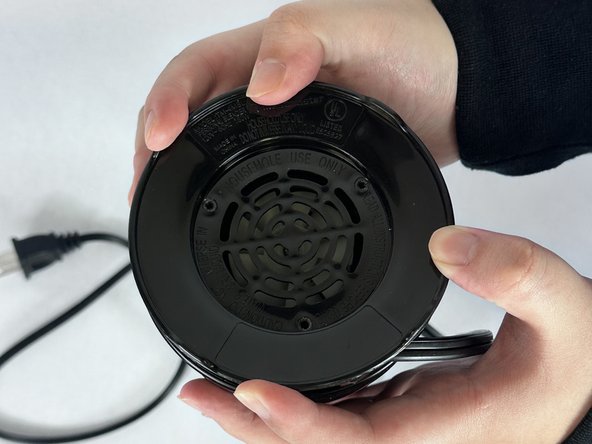
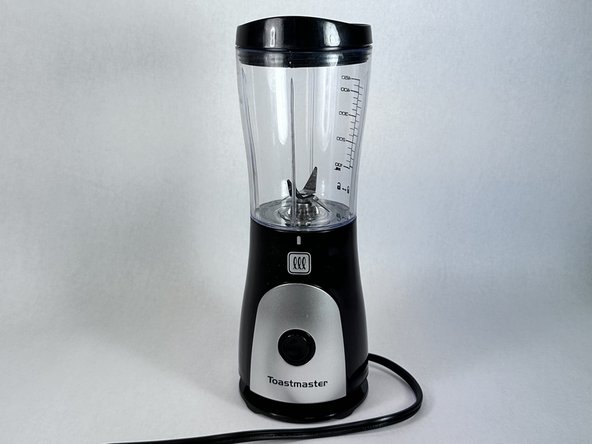
      • Unplug the plug if connected to any outlets.

      • Take off the cap from the blender and turn the appliance upside down.

      • The blender should be standing upward stably.

      FixBotに聞いてみる

      コメントを追加

    2. Toast Master Blender Button Replacement: 手順 2、 3の画像 1 Toast Master Blender Button Replacement: 手順 2、 3の画像 2 Toast Master Blender Button Replacement: 手順 2、 3の画像 3
      • Use an allen wrench to remove the three screws from the bottom cover.

      FixBotに聞いてみる

      コメントを追加

    3. Toast Master Blender Button Replacement: 手順 3、 3の画像 1 Toast Master Blender Button Replacement: 手順 3、 3の画像 2 Toast Master Blender Button Replacement: 手順 3、 3の画像 3
      • Take off the black blender stand.

      • Take off three silver screws.

      • Put the screws safely aside.

      FixBotに聞いてみる

      コメントを追加

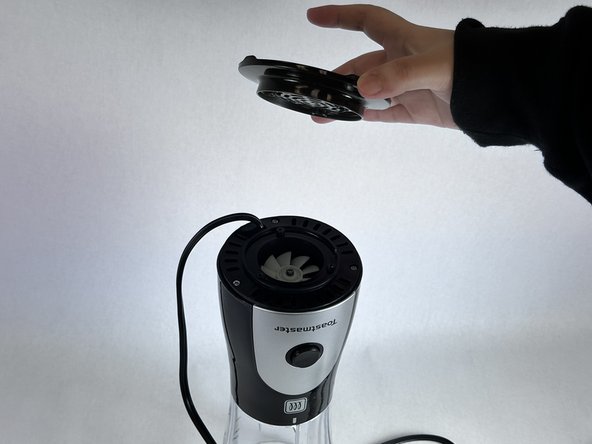
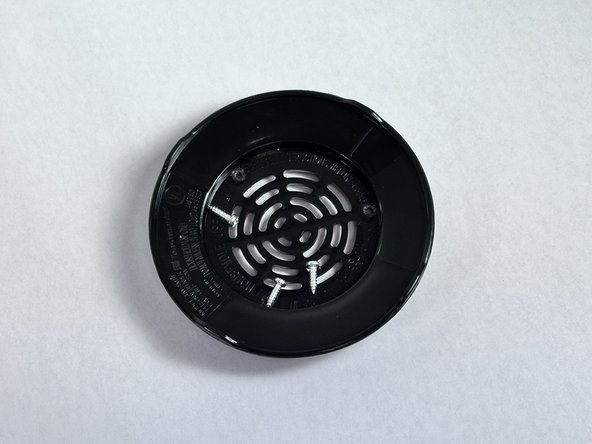
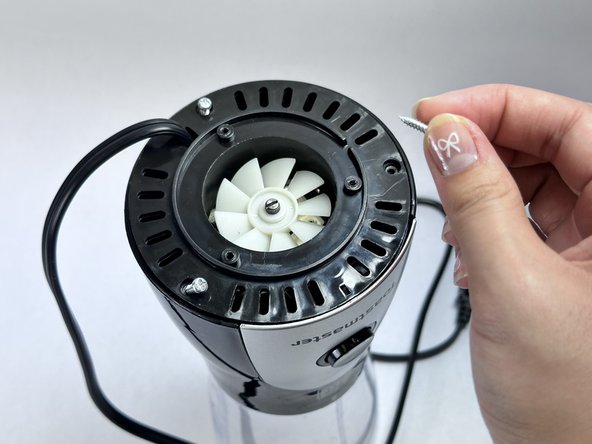
    4. Toast Master Blender Button Replacement: 手順 4、 3の画像 1 Toast Master Blender Button Replacement: 手順 4、 3の画像 2 Toast Master Blender Button Replacement: 手順 4、 3の画像 3
      • Use the Allen wrench to remove the three silver screws on the next level of the blender.

      FixBotに聞いてみる

      コメントを追加

    5. Toast Master Blender Button Replacement: 手順 5、 2の画像 1 Toast Master Blender Button Replacement: 手順 5、 2の画像 2
      • Remove the black cap by lifting it upwards and gently placing it aside.

      • Do not pull hard on the wire as this may cause it to break

      FixBotに聞いてみる

      コメントを追加

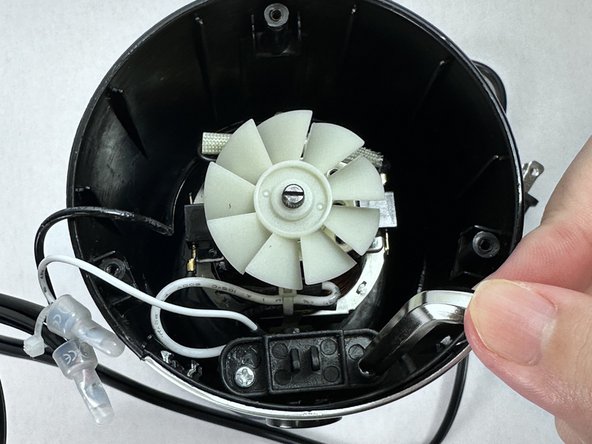
    6. Toast Master Blender Button Replacement: 手順 6、 3の画像 1 Toast Master Blender Button Replacement: 手順 6、 3の画像 2 Toast Master Blender Button Replacement: 手順 6、 3の画像 3
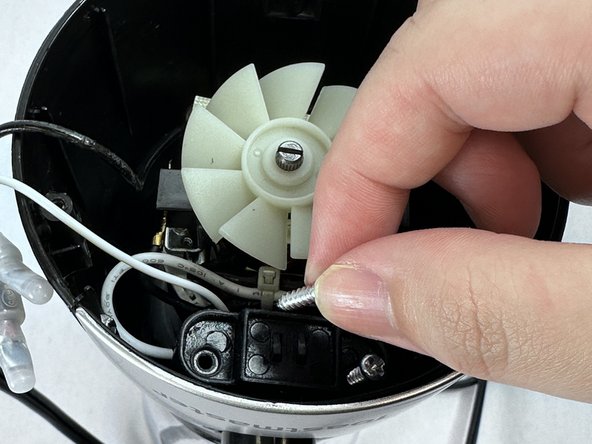
      • Looking into the internal part of the blender, identify the two silver screws near the button and unscrew them with the screwdriver.

      • Carefully remove two silver screws.

      FixBotに聞いてみる

      コメントを追加

    7. Toast Master Blender Button Replacement: 手順 7、 3の画像 1 Toast Master Blender Button Replacement: 手順 7、 3の画像 2 Toast Master Blender Button Replacement: 手順 7、 3の画像 3
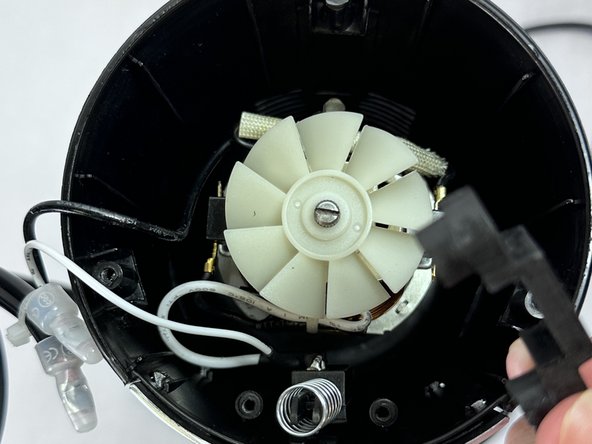
      • Take out the black piece that was attached with the screws and safely place it aside.

      FixBotに聞いてみる

      コメントを追加

    8. Toast Master Blender Button Replacement: 手順 8、 3の画像 1 Toast Master Blender Button Replacement: 手順 8、 3の画像 2 Toast Master Blender Button Replacement: 手順 8、 3の画像 3
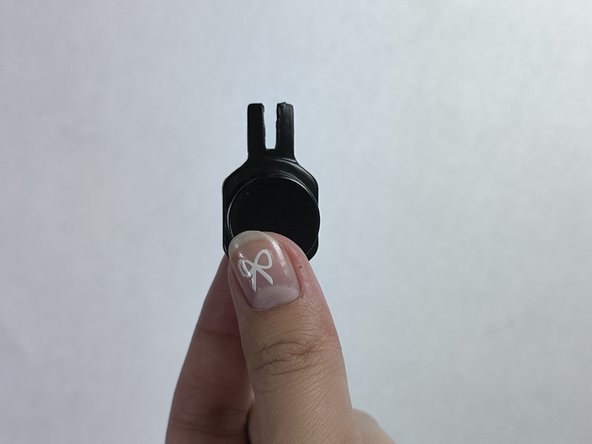
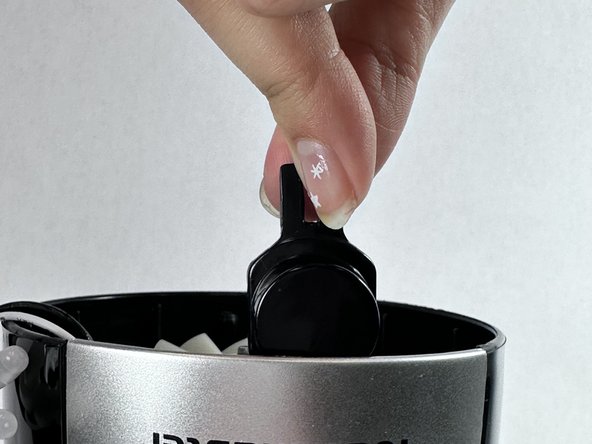
      • Take out the button from the blender.

      • This is the plastic button for Toast Master Blender. If you have a spare button, you can replace it.

      • Make sure that side is facing up and place it back into the original position.

      • The button should have a pointier side that resembles a bunny’s head.

      FixBotに聞いてみる

      コメントを追加

    9. Toast Master Blender Button Replacement: 手順 9、 1の画像 1
      • Press the button and make sure it has a “click” sound.

      • If the button is still loose, go back to the previous step and recheck that the button is in the correct position.

      FixBotに聞いてみる

      コメントを追加

    10. Toast Master Blender Button Replacement: 手順 10、 3の画像 1 Toast Master Blender Button Replacement: 手順 10、 3の画像 2 Toast Master Blender Button Replacement: 手順 10、 3の画像 3
      • Reassemble all the parts back, and screw all the screws back to its original place.

      • All the silver screws are the same size.

      • Make sure the black cap separates rotating paddles and wires.

      • There should be no wires wrapped around the rotating blades.

      FixBotに聞いてみる

      コメントを追加

終わりに

To reassemble your device, follow these instructions in reverse order.

キャンセル: このガイドを終了できませんでした。

ある他の人がこのガイドを完成しました。

作成者

3人の作成者と共同で作成されました。

Jessica Li

メンバー登録日: 02/02/24

181 ポイント

1ガイドが承認済み

チーム

UC Davis, Team 4-8, Andersen Winter 2024 UC Davis, Team 4-8, Andersen Winter 2024人のメンバー

UCD-ANDERSEN-W24S4G8

2 メンバー

2のガイドは作成済み

0件のガイドコメント

コメントを追加

統計データ:

過去 24時間: 2

過去 7 日: 13

過去 30 日: 62

今までの合計 1,216