メインコンテンツにスキップ
リペアコミュニティに参加 - アカウントの作成

ThinkPad T420 Keyboard reinstallation Replacement

必要条件のみ
これは前提条件のみのガイドです!このガイドは別の手順の一部であり、単独で使用されません。
  1. ThinkPad T420 Keyboard reinstallation Replacement, Keyboard reinstallation: 手順 1、 3の画像 1 ThinkPad T420 Keyboard reinstallation Replacement, Keyboard reinstallation: 手順 1、 3の画像 2 ThinkPad T420 Keyboard reinstallation Replacement, Keyboard reinstallation: 手順 1、 3の画像 3
    • If you are upgrading the RAM this will be done last. Once both modules are installed, perform this step without reinstalling the screw, then reinstall the screw once the module is accepted and working.

    • Reconnect the keyboard to the motherboard. Once connected, slide the top (volume controls) in first.

    • Once the top of the keyboard is pushed in, slide the keyboard down to re-engage the lower clips until they are not visible.

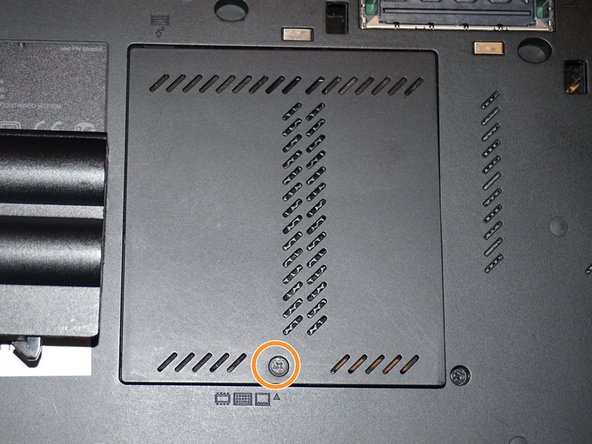
    • Replace the silver screw and RAM door.

  2. ThinkPad T420 Keyboard reinstallation Replacement, Reinstall the keyboard screw: 手順 2、 3の画像 1 ThinkPad T420 Keyboard reinstallation Replacement, Reinstall the keyboard screw: 手順 2、 3の画像 2 ThinkPad T420 Keyboard reinstallation Replacement, Reinstall the keyboard screw: 手順 2、 3の画像 3
    • Reinstall the keyboard screw.

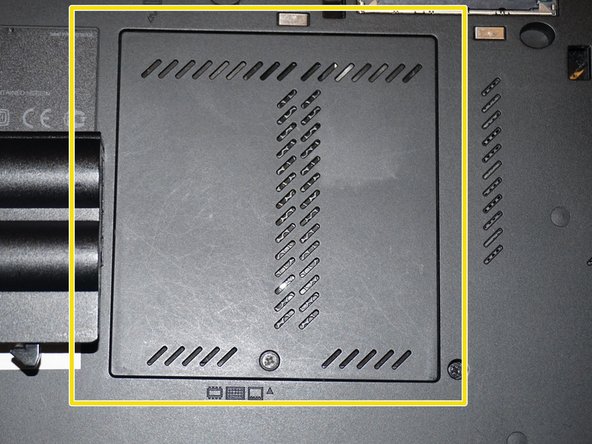
    • Reinstall the RAM door.

    • When the cover is properly reinstalled, it will be flush with the laptop.

終わりに

To reassemble your device, follow these instructions in reverse order.

Nick

メンバー登録日: 11/10/09

100,218 ポイント

64のガイドは作成済み

チーム

Master Techs Master Techs人のメンバー

Community

332 メンバー

1,473のガイドは作成済み

0件のガイドコメント

コメントを追加

統計データ:

過去 24時間: 0

過去 7 日: 5

過去 30 日: 15

今までの合計 201