メインコンテンツにスキップ
リペアコミュニティに参加 - アカウントの作成

Sony Cyber-shot DSC-P9 Lens Replacement

必要な工具と部品

    1. Sony Cyber-shot DSC-P9 Lens Replacement, Battery: 手順 1、 1の画像 1
      • Slide the battery latch down the side of the camera with your hands.

      • The latch will automatically pop open.

      FixBotに聞いてみる

      コメントを追加

    2. Sony Cyber-shot DSC-P9 Lens Replacement: 手順 2、 1の画像 1
      • Unlatch the clip over the battery.

      • The battery will partially pop out.

      FixBotに聞いてみる

      コメントを追加

    3. Sony Cyber-shot DSC-P9 Lens Replacement: 手順 3、 2の画像 1 Sony Cyber-shot DSC-P9 Lens Replacement: 手順 3、 2の画像 2
      • Remove the battery from the camera.

      FixBotに聞いてみる

      コメントを追加

    1. Sony Cyber-shot DSC-P9 Lens Replacement, Outer Casing: 手順 4、 2の画像 1 Sony Cyber-shot DSC-P9 Lens Replacement, Outer Casing: 手順 4、 2の画像 2
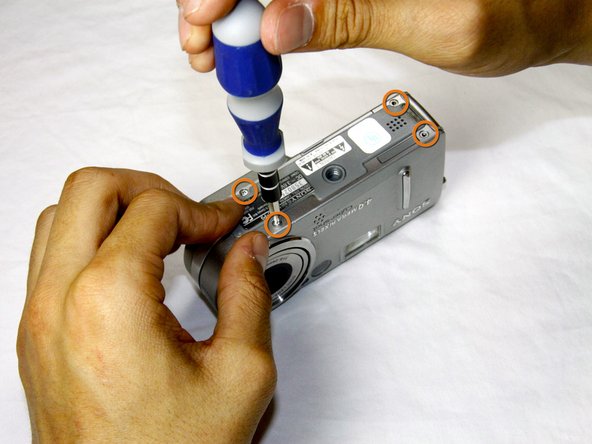
      • Remove the four 3.0mm Phillips #000 screws on the top of the camera with the phillips screwdriver.

      • Remove the additional four 3.0mm Phillips #000 screws on the bottom of the camera.

      FixBotに聞いてみる

      コメントを追加

    2. Sony Cyber-shot DSC-P9 Lens Replacement: 手順 5、 2の画像 1 Sony Cyber-shot DSC-P9 Lens Replacement: 手順 5、 2の画像 2
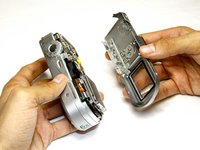
      • Once the screws are removed, slowly remove the back casing from the rest of the camera.

      FixBotに聞いてみる

      コメントを追加

    3. Sony Cyber-shot DSC-P9 Lens Replacement: 手順 6、 2の画像 1 Sony Cyber-shot DSC-P9 Lens Replacement: 手順 6、 2の画像 2
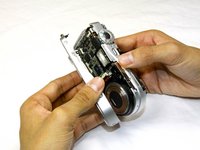
      • Then, pull the front case away from the rest of the camera.

      FixBotに聞いてみる

      コメントを追加

    4. Sony Cyber-shot DSC-P9 Lens Replacement: 手順 7、 1の画像 1
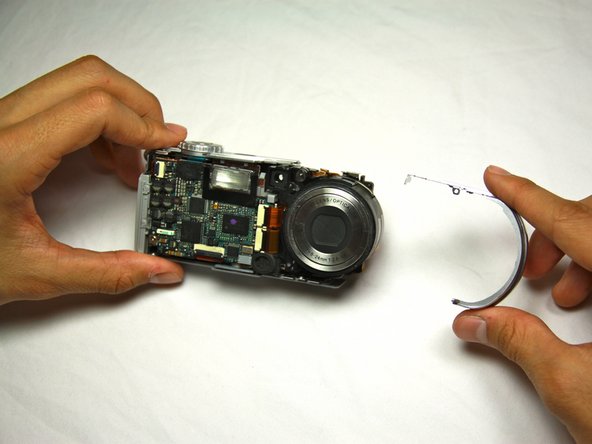
      • After the casing is removed, the camera should look as shown.

      FixBotに聞いてみる

      コメントを追加

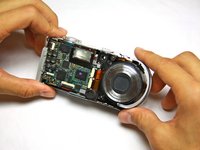
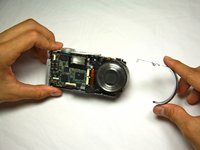
    1. Sony Cyber-shot DSC-P9 Lens Replacement, Lens: 手順 8、 2の画像 1 Sony Cyber-shot DSC-P9 Lens Replacement, Lens: 手順 8、 2の画像 2
      • Dislodge the round casing from the lens.

      • Pull it away from the rest of the camera.

      FixBotに聞いてみる

      コメントを追加

    2. Sony Cyber-shot DSC-P9 Lens Replacement: 手順 9、 1の画像 1
      • Unscrew the two 4.0mm Phillips #000 screws from the display.

      FixBotに聞いてみる

      コメントを追加

    3. Sony Cyber-shot DSC-P9 Lens Replacement: 手順 10、 1の画像 1
      • Pull the two ribbon cables out of their slots on the back circuit board.

      FixBotに聞いてみる

      コメントを追加

    4. Sony Cyber-shot DSC-P9 Lens Replacement: 手順 11、 1の画像 1
      • Remove the three 4.0mm Phillips #000 screws holding the back panel in place.

      FixBotに聞いてみる

      コメントを追加

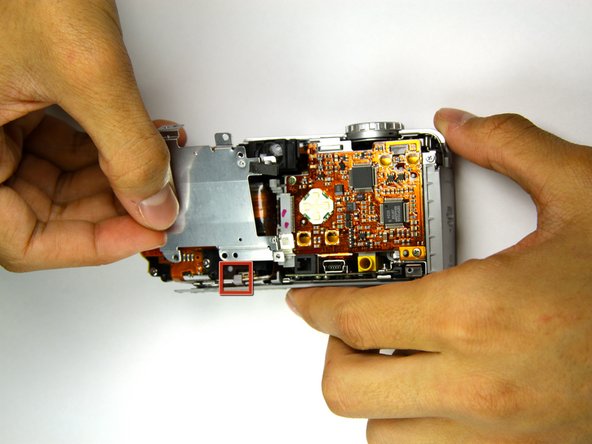
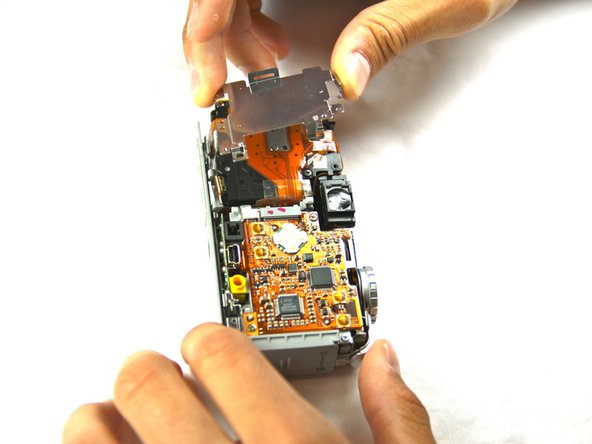
    5. Sony Cyber-shot DSC-P9 Lens Replacement: 手順 12、 3の画像 1 Sony Cyber-shot DSC-P9 Lens Replacement: 手順 12、 3の画像 2 Sony Cyber-shot DSC-P9 Lens Replacement: 手順 12、 3の画像 3
      • Work the back panel out from under the small grey clip.

      • Slide the back panel off of the camera by dislodging it from the remaining clips.

      • Below is a flat, orange cable connecting the lens to the motherboard.

      • Be careful not to bend the back plate during this process.

      FixBotに聞いてみる

      コメントを追加

    6. Sony Cyber-shot DSC-P9 Lens Replacement: 手順 13、 1の画像 1
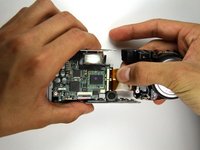
      • Turn the camera over so that you can see the front of the lens.

      • Two connectors link the lens to the motherboard.

      • Gently bring the lens away from the camera.

      FixBotに聞いてみる

      コメントを追加

    7. Sony Cyber-shot DSC-P9 Lens Replacement: 手順 14、 1の画像 1
      • Using the flat end of the plastic spudger tool, flip up the black tabs on the connectors.

      • Be careful not to exert too much force, as the connectors are delicate.

      FixBotに聞いてみる

      コメントを追加

    8. Sony Cyber-shot DSC-P9 Lens Replacement: 手順 15、 3の画像 1 Sony Cyber-shot DSC-P9 Lens Replacement: 手順 15、 3の画像 2 Sony Cyber-shot DSC-P9 Lens Replacement: 手順 15、 3の画像 3
      • Gently pull out the cables and move the lens away from the rest of the camera.

      • You should now have two distinct, separate components.

      FixBotに聞いてみる

      コメントを追加

終わりに

To reassemble your device, follow these instructions in reverse order.

キャンセル: このガイドを終了できませんでした。

ある他の人がこのガイドを完成しました。

作成者

5人の作成者と共同で作成されました。

Sean Sayles

メンバー登録日: 05/09/12

7 ポイント

1ガイドが承認済み

チーム

Cal Poly, Team 17-25, Amido Spring 2012 Cal Poly, Team 17-25, Amido Spring 2012人のメンバー

CPSU-AMIDO-S12S17G25

4 メンバー

35のガイドは作成済み

0件のガイドコメント

コメントを追加

統計データ:

過去 24時間: 1

過去 7 日: 7

過去 30 日: 35

今までの合計 1,973