はじめに
The lens mount can wear over time and improper installation of the lens could break the inner plastic ring of the lens mount.
必要な工具と部品
-
-
-
-
Use a Phillips head 000 screwdriver to remove the four 5.0mm screws on the E-mount.
-
-
-
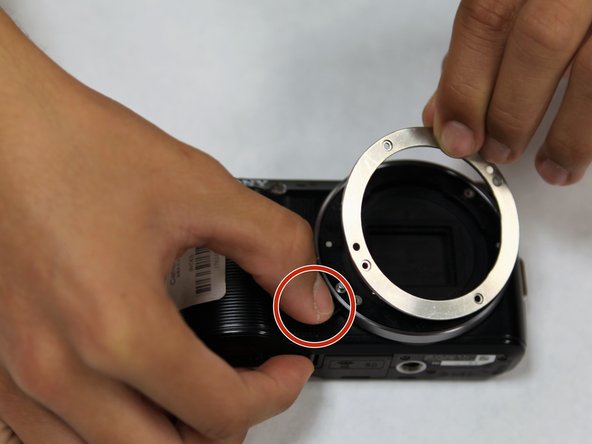
Press on the lens mount button with one hand.
-
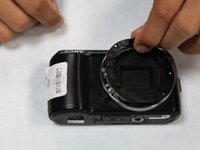
With the other hand, grab and gently wiggle off the E-mount metal ring until its free.
-
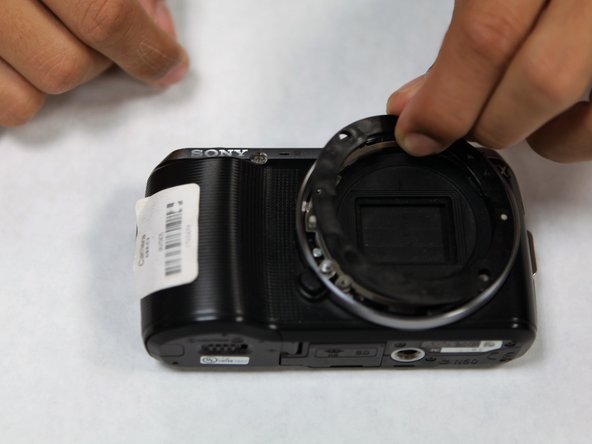
Remove the plastic ring located under the metal ring.
-

 FixBotに聞いてみる


終わりに
To reassemble your device, follow these instructions in reverse order.

チーム

UC Santa Barbara, Team S1-G1, Weedon Fall 2017 UC Santa Barbara, Team S1-G1, Weedon Fall 2017人のメンバー
UCSB-WEEDON-F17S1G1
3 メンバー
13のガイドは作成済み
