メインコンテンツにスキップ
リペアコミュニティに参加 - アカウントの作成

Sony Alpha DSLR- A850 Focusing Screen Replacement

必要な工具と部品

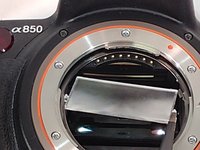
  1. Sony Alpha DSLR- A850 Focusing Screen Replacement, Focusing Screen: 手順 1、 3の画像 1 Sony Alpha DSLR- A850 Focusing Screen Replacement, Focusing Screen: 手順 1、 3の画像 2 Sony Alpha DSLR- A850 Focusing Screen Replacement, Focusing Screen: 手順 1、 3の画像 3
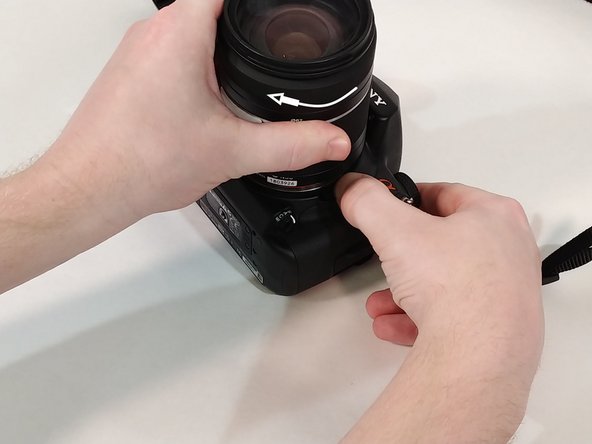
    • Push in the button next to the lens.

    • While holding the button twist the lens counter-clockwise.

    • Pull up and remove lens from camera.

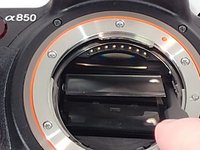
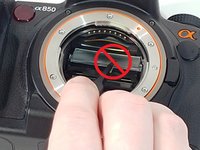
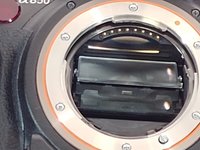
  2. Sony Alpha DSLR- A850 Focusing Screen Replacement: 手順 2、 3の画像 1 Sony Alpha DSLR- A850 Focusing Screen Replacement: 手順 2、 3の画像 2 Sony Alpha DSLR- A850 Focusing Screen Replacement: 手順 2、 3の画像 3
    • Inside toward the top you will find a small slit in the plastic piece.

    • Insert a flat head screw driver into the slit and pull down to access the focusing screen.

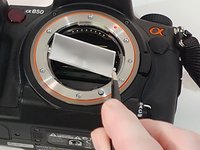
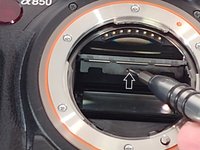
  3. Sony Alpha DSLR- A850 Focusing Screen Replacement: 手順 3、 3の画像 1 Sony Alpha DSLR- A850 Focusing Screen Replacement: 手順 3、 3の画像 2 Sony Alpha DSLR- A850 Focusing Screen Replacement: 手順 3、 3の画像 3
    この手順で使用する道具:
    Tweezers
    $4.99
    • Using tweezers grab the focusing screen on the side by the two tabs that are on it.

    • Do not grab the focusing screen in the middle as this will damage it.

    • Pull out and remove focusing screen from camera.

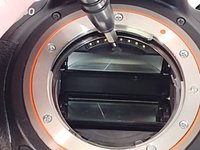
  4. Sony Alpha DSLR- A850 Focusing Screen Replacement: 手順 4、 3の画像 1 Sony Alpha DSLR- A850 Focusing Screen Replacement: 手順 4、 3の画像 2 Sony Alpha DSLR- A850 Focusing Screen Replacement: 手順 4、 3の画像 3
    • When inserting new screen make sure to orient it where the two tabs are facing towards you with the smaller tab facing up.

    • Angle the focusing screen to make installation easier.

    • Lay the new focusing screen into the plastic tray.

    • It does not snap into place.

  5. Sony Alpha DSLR- A850 Focusing Screen Replacement: 手順 5、 2の画像 1 Sony Alpha DSLR- A850 Focusing Screen Replacement: 手順 5、 2の画像 2
    • Insert screw driver into the slit and push up to close.

    • You can also use your thumb, if you are careful not to touch the screen as this could leave a smudge on it.

    • You will hear a click when the plastic tray is back in place.

  6. Sony Alpha DSLR- A850 Focusing Screen Replacement: 手順 6、 2の画像 1 Sony Alpha DSLR- A850 Focusing Screen Replacement: 手順 6、 2の画像 2
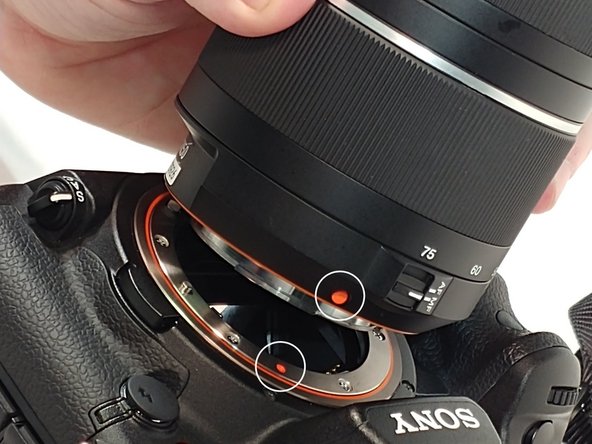
    • When re-installing the lens line up the orange dots that are one both lens and camera.

    • Fit lens into place and turn clockwise to secure it back to camera.

終わりに

You have now completed a focusing screen replacement.

ある他の人がこのガイドを完成しました。

作成者

3人の作成者と共同で作成されました。

Walter Littlefield

メンバー登録日: 03/21/18

286 ポイント

2のガイドは作成済み

チーム

University of Memphis, Team S2-G4, Kim Spring 2018 University of Memphis, Team S2-G4, Kim Spring 2018人のメンバー

UM-KIM-S18S2G4

3 メンバー

10のガイドは作成済み

0件のガイドコメント

コメントを追加

統計データ:

過去 24時間: 5

過去 7 日: 14

過去 30 日: 40

今までの合計 1,114