メインコンテンツにスキップ
リペアコミュニティに参加 - アカウントの作成

Sonos Five Midwoofer Replacement

  1. Sonos Five Midwoofer Replacement, Grille Removal: 手順 1、 3の画像 1 Sonos Five Midwoofer Replacement, Grille Removal: 手順 1、 3の画像 2 Sonos Five Midwoofer Replacement, Grille Removal: 手順 1、 3の画像 3
    • Use a thin guitar pick to carefully pry up the grille (photo one)

    • Ensure you position the pick to pry between the side of the case and the rubber grille frame; not the plastic mesh! (photos two and three)

  2. Sonos Five Midwoofer Replacement, Grill Removal Continued: 手順 2、 3の画像 1 Sonos Five Midwoofer Replacement, Grill Removal Continued: 手順 2、 3の画像 2 Sonos Five Midwoofer Replacement, Grill Removal Continued: 手順 2、 3の画像 3
    • Continue to work your way around the sides until the grille is freed.

    • Make note of the red circled posts and their respective matching pins. They must be properly aligned when reinstalling the grille to prevent damage.

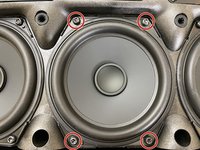
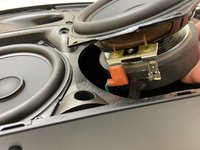
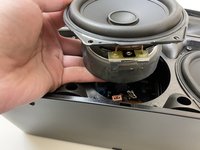
  3. Sonos Five Midwoofer Replacement, Left Midwoofer Removal: 手順 3、 3の画像 1 Sonos Five Midwoofer Replacement, Left Midwoofer Removal: 手順 3、 3の画像 2 Sonos Five Midwoofer Replacement, Left Midwoofer Removal: 手順 3、 3の画像 3
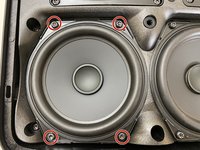
    • Remove the four red circled Torx T20 screws securing the driver to the front panel.

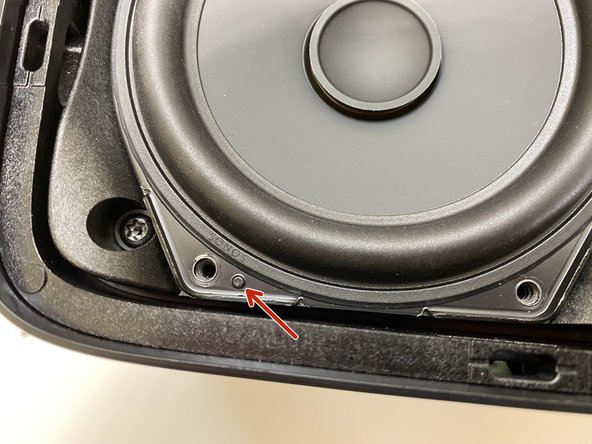
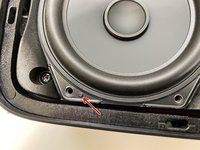
    • Be sure to align the speaker properly with it's alignment posts during reinstallation (third photo, red arrow)

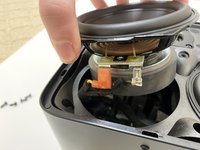
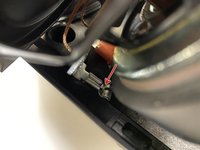
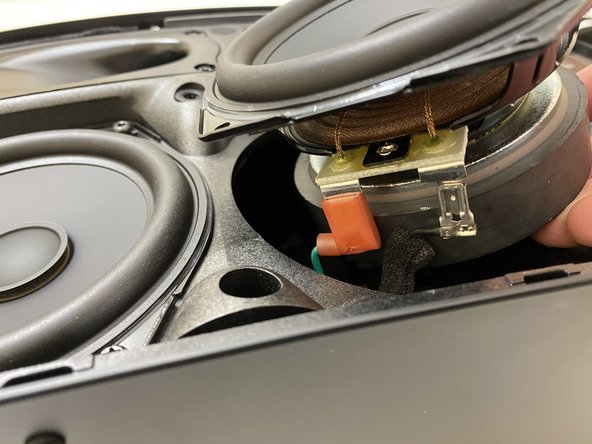
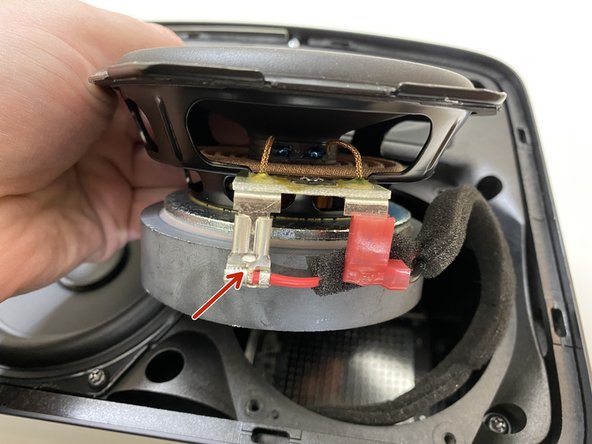
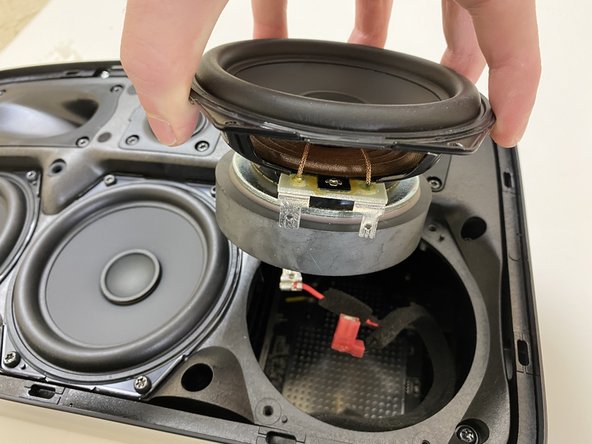
  4. Sonos Five Midwoofer Replacement, Disconnecting The Driver: 手順 4、 3の画像 1 Sonos Five Midwoofer Replacement, Disconnecting The Driver: 手順 4、 3の画像 2 Sonos Five Midwoofer Replacement, Disconnecting The Driver: 手順 4、 3の画像 3
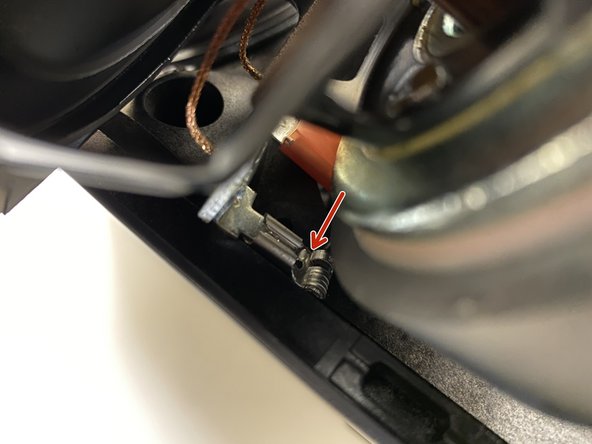
    • The insulated terminal simply pulls off to disconnect.

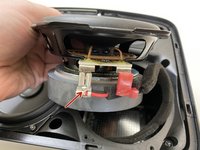
    • The non insulated terminal has a locking tab (red arrow, second photo). This tab that must be depressed with a small screwdriver to unlock it for removal.

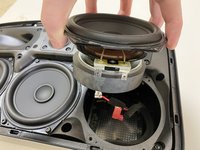
    • The midwoofer may now be carefully removed from the supporting frame.

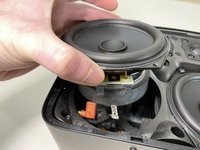
  5. Sonos Five Midwoofer Replacement, Center Midwoofer removal: 手順 5、 3の画像 1 Sonos Five Midwoofer Replacement, Center Midwoofer removal: 手順 5、 3の画像 2 Sonos Five Midwoofer Replacement, Center Midwoofer removal: 手順 5、 3の画像 3
    • Remove the four red circled Torx T20 screws securing the driver to the front panel.

    • Raise the midwoofer out of the cabinet slightly to enable you to disconnect the terminals.

    • The center midwoofer driver wires are extremely short. Be Careful not to place too much tension on the wires. This takes two hands one holding the driver while you disconnect the terminals with the other.

    • Again, the insulated terminal simply slides off, but the non insulated terminal's locking tab must be depressed.

  6. Sonos Five Midwoofer Replacement, Right Midwoofer Removal: 手順 6、 3の画像 1 Sonos Five Midwoofer Replacement, Right Midwoofer Removal: 手順 6、 3の画像 2 Sonos Five Midwoofer Replacement, Right Midwoofer Removal: 手順 6、 3の画像 3
    • Remove the four T20 screws securing the driver to the front panel

    • Lift the driver out of the cabinet.

    • The left noninsulated terminal again has a locking tab that must be depressed. (red arrow, photo two) The right terminal is simply pulled off.

終わりに

To reassemble your device, follow these instructions in reverse order.

ある他の人がこのガイドを完成しました。
作成者

2人の作成者と共同で作成されました。

Nicholas Ouimet

メンバー登録日: 10/16/09

3,680 ポイント

11のガイドは作成済み

2件のガイドコメント

Hola sabes donde podría comprar los parlantes tengo un somos five y están las tres bocinas reventadas

Ricardo.tranamil.h@gmail.com

Ricardo tranamil - 返信 共有

Hola nesecito comprar las bocinas de repuestos por favor

Ricardo tranamil - 返信 共有

コメントを追加

統計データ:

過去 24時間: 0

過去 7 日: 27

過去 30 日: 94

今までの合計 3,283