はじめに
The scroll wheels allows user interact with the device. A scroll wheel that does not work will not allow users to play music or access other features on the device.
必要な工具と部品
-
-
From the back of the device, slide the back panel downwards to unlock the panel.
-
Lift the panel up, exposing the battery.
 FixBotに聞いてみる
-
-
-
-
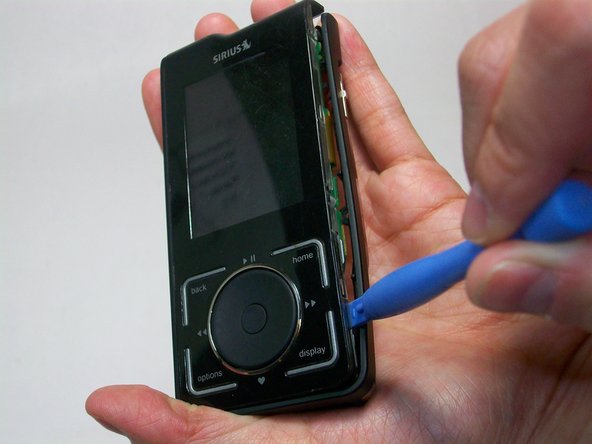
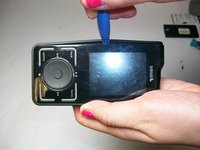
Start by using a plastic opening tool to loosen the front cover from the sides.
-
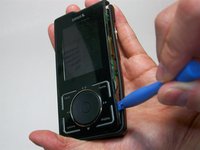
Work your way to the bottom of the cover then the top.
-
Carefully pry the front cover off.
-
-
-
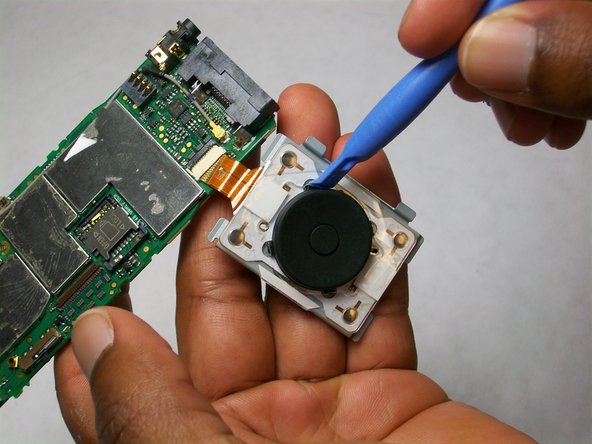
Isolate the scroll wheel assembly
-
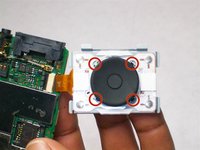
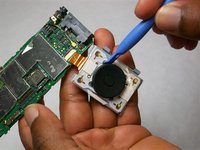
Gently pry the four metal tabs outwards, away from the scroll pad.
-
-
-
Once the scroll pad has been released, be careful not to drop the center button. This may damage the spring.
-




To reassemble your device, follow these instructions in reverse order.
ある他の人がこのガイドを完成しました。

チーム

USF Tampa, Team 6-6, Brown Winter 2015 USF Tampa, Team 6-6, Brown Winter 2015人のメンバー
USFT-BROWN-W15S6G6
4 メンバー
5のガイドは作成済み
