はじめに
This is an easy DIY guide on how to replace the antenna. It involves removing the back cover, the battery and the plastic cover over the motherboard. You will need a screwdriver to remove screws and tweezers to remove the antenna.
必要な工具と部品
-
-
-
Lay the phone on its front side so the back is visible.
-
Use your thumb to gently and firmly press down on the triangle arrow found on the cover of the phone.
-
Press down on the arrow until you hear a popping sound, which will remove the cover of the phone.
-
Slide the cover down from the phone to remove it. Set the cover aside.
 FixBotに聞いてみる
-
-
-
-
-
Place your thumb on the edge of the battery near the access notch.
-
Lift the battery to remove it from the phone. Set the battery aside.
-
-
-
-
-
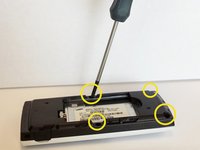
After removing the battery, unscrew the 4 3/16" screws on the black plastic cover with the Phillips #00 screwdriver.
-
-
-
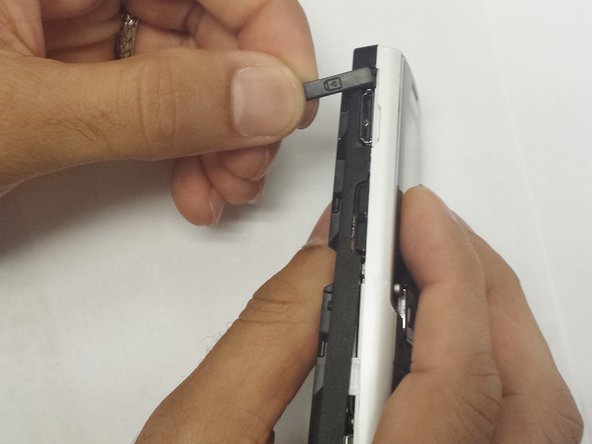
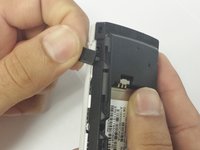
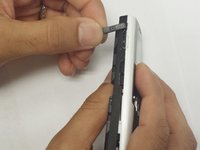
Remove the headphone cover from the left side and the volume cover from the right side of the phone.
-
-
この手順で使用する道具:Tweezers$4.99
-
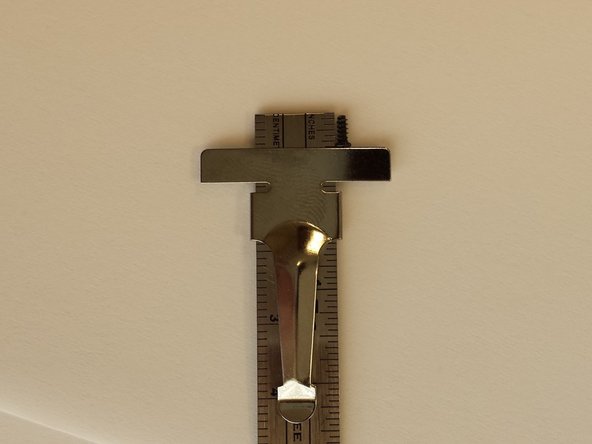
The antenna is located on the opposite side of the black plastic cover. Use the tweezers to remove the antenna.
-
-
-
The gray rubber antenna cover will need to come out as well. Use the tweezers to remove the gray cover.
-
-





To reassemble your device, follow these instructions in reverse order.

チーム

WRI115, Team 1-4, Ruszkiewicz Spring 2013 WRI115, Team 1-4, Ruszkiewicz Spring 2013人のメンバー
WRI115-RUSZKIEWICZ-S13S1G4
3 メンバー
20のガイドは作成済み
