メインコンテンツにスキップ
リペアコミュニティに参加 - アカウントの作成

Samsung SPEX SCH-R210 Keypad Replacement

必要な工具と部品

    1. Samsung SPEX SCH-R210 Keypad Replacement, Back Cover: 手順 1、 3の画像 1 Samsung SPEX SCH-R210 Keypad Replacement, Back Cover: 手順 1、 3の画像 2 Samsung SPEX SCH-R210 Keypad Replacement, Back Cover: 手順 1、 3の画像 3
      • Lay the phone on its front side so the back is visible.

      • Use your thumb to gently and firmly press down on the triangle arrow found on the cover of the phone.

      • Press down on the arrow until you hear a popping sound, which will remove the cover of the phone.

      • Slide the cover down from the phone to remove it. Set the cover aside.

      FixBotに聞いてみる

      コメントを追加

    1. Samsung SPEX SCH-R210 Keypad Replacement, Battery: 手順 2、 1の画像 1
      • Locate the access notch at the end of the battery compartment.

      FixBotに聞いてみる

      コメントを追加

    2. Samsung SPEX SCH-R210 Keypad Replacement: 手順 3、 1の画像 1
      • Place your thumb on the edge of the battery near the access notch.

      • Lift the battery to remove it from the phone. Set the battery aside.

      FixBotに聞いてみる

      コメントを追加

    1. Samsung SPEX SCH-R210 Keypad Replacement, Keypad: 手順 4、 2の画像 1 Samsung SPEX SCH-R210 Keypad Replacement, Keypad: 手順 4、 2の画像 2
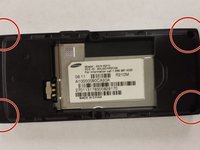
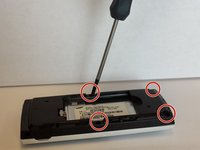
      • Remove the four 4.8 mm screws from the midframe using a Phillips #00 screwdriver.

      FixBotに聞いてみる

      コメントを追加

    2. Samsung SPEX SCH-R210 Keypad Replacement: 手順 5、 1の画像 1
      • Remove the headphone cover from the left side of the midframe.

      FixBotに聞いてみる

      コメントを追加

    3. Samsung SPEX SCH-R210 Keypad Replacement: 手順 6、 1の画像 1
      • Remove the volume cover from the right side of the midframe.

      FixBotに聞いてみる

      コメントを追加

    4. Samsung SPEX SCH-R210 Keypad Replacement: 手順 7、 1の画像 1
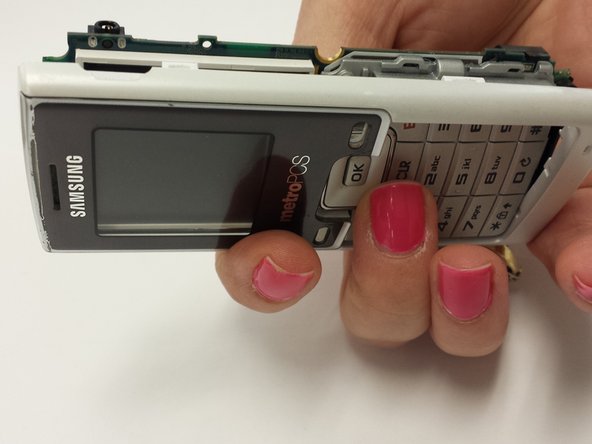
      • Use your hands to separate the midframe from the rest of the phone.

      • This may take a little effort to remove.

      FixBotに聞いてみる

      コメントを追加

    5. Samsung SPEX SCH-R210 Keypad Replacement: 手順 8、 1の画像 1
      • Use a 1.5 mm hex screwdriver to remove the three 2.4 mm screws around the motherboard.

      FixBotに聞いてみる

      コメントを追加

    6. Samsung SPEX SCH-R210 Keypad Replacement: 手順 9、 1の画像 1
      • Lift the metal plate off of the motherboard and set it aside.

      FixBotに聞いてみる

      コメントを追加

    7. Samsung SPEX SCH-R210 Keypad Replacement: 手順 10、 2の画像 1 Samsung SPEX SCH-R210 Keypad Replacement: 手順 10、 2の画像 2
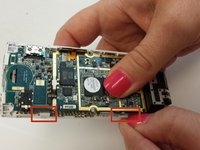
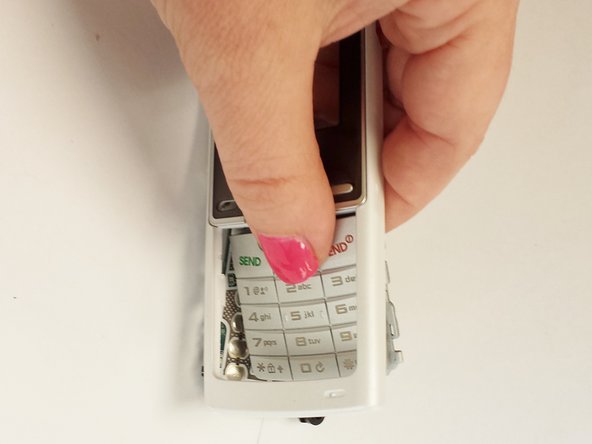
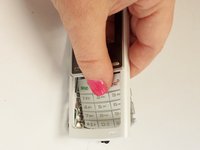
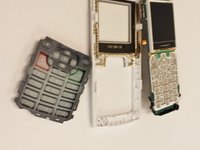
      • Push on the white plastic tabs and the keypad at the same time to remove the motherboard.

      FixBotに聞いてみる

      コメントを追加

    8. Samsung SPEX SCH-R210 Keypad Replacement: 手順 11、 2の画像 1 Samsung SPEX SCH-R210 Keypad Replacement: 手順 11、 2の画像 2
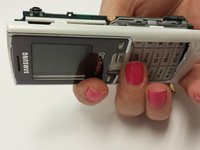
      • Turn the phone over to its front side.

      • Apply pressure on the keypad.

      • The keypad will come out easily.

      FixBotに聞いてみる

      コメントを追加

終わりに

To reassemble your device, follow these instructions in reverse order.

キャンセル: このガイドを終了できませんでした。

作成者

4人の作成者と共同で作成されました。

Susan

メンバー登録日: 07/11/13

331 ポイント

3のガイドは作成済み

チーム

WRI115, Team 1-4, Ruszkiewicz Spring 2013 WRI115, Team 1-4, Ruszkiewicz Spring 2013人のメンバー

WRI115-RUSZKIEWICZ-S13S1G4

3 メンバー

25のガイドは作成済み

0件のガイドコメント

コメントを追加

統計データ:

過去 24時間: 0

過去 7 日: 2

過去 30 日: 26

今までの合計 648