メインコンテンツにスキップ
リペアコミュニティに参加 - アカウントの作成

Samsung NP N310 HAA2US RAM Replacement

必要な工具と部品

  1. Samsung NP N310 HAA2US RAM Replacement, Battery: 手順 1、 3の画像 1 Samsung NP N310 HAA2US RAM Replacement, Battery: 手順 1、 3の画像 2 Samsung NP N310 HAA2US RAM Replacement, Battery: 手順 1、 3の画像 3
    • Make sure the laptop is powered off, and unplugged before removing the battery.

    • Slide the battery switch to the unlock symbol, and the battery will pop up.

    • Remove the battery.

    FixBotに聞いてみる

    コメントを追加

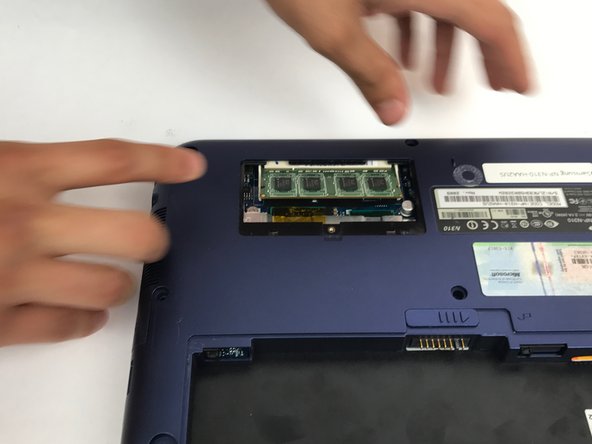
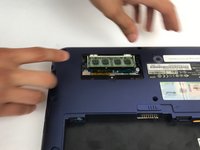
  2. Samsung NP N310 HAA2US RAM Replacement, RAM: 手順 2、 3の画像 1 Samsung NP N310 HAA2US RAM Replacement, RAM: 手順 2、 3の画像 2 Samsung NP N310 HAA2US RAM Replacement, RAM: 手順 2、 3の画像 3
    • Locate and unscrew the 5mm screw on the small panel on the back that has 'memory' written on it.

    • Pull off the memory panel.

    FixBotに聞いてみる

    コメントを追加

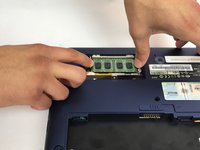
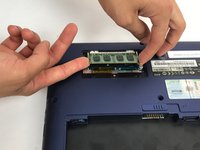
  3. Samsung NP N310 HAA2US RAM Replacement: 手順 3、 3の画像 1 Samsung NP N310 HAA2US RAM Replacement: 手順 3、 3の画像 2 Samsung NP N310 HAA2US RAM Replacement: 手順 3、 3の画像 3
    • Pull the 2 latches holding the RAM in, away from the RAM stick, and the RAM will pop up.

    • Pull the RAM out of the slot, only touching the edges of the RAM stick

    FixBotに聞いてみる

    コメントを追加

終わりに

To reassemble your device, follow these instructions in reverse order.

キャンセル: このガイドを終了できませんでした。

ある他の人がこのガイドを完成しました。

作成者

2人の作成者と共同で作成されました。

Amir Afridi

メンバー登録日: 09/29/16

626 ポイント

6のガイドは作成済み

チーム

USF Tampa, Team 4-1, Passmore Fall 2016 USF Tampa, Team 4-1, Passmore Fall 2016人のメンバー

USFT-PASSMORE-F16S4G1

4 メンバー

6のガイドは作成済み

1件のガイドコメント

I checked out this guide today (11.2022) to upgrade the RAM in my N310 Windows XP laptop that I bought in the summer of 2009 : ) a whooping 2 GB of DDR2 RAM installed to play old games on original hardware... yee haw!

Mick Germ - 返信 共有

コメントを追加

統計データ:

過去 24時間: 3

過去 7 日: 6

過去 30 日: 37

今までの合計 643