メインコンテンツにスキップ
リペアコミュニティに参加 - アカウントの作成

Samsung Galaxy Express 3 Home Button Replacement

必要な工具と部品

  1. Samsung Galaxy Express 3 Home Button Replacement, Battery: 手順 1、 2の画像 1 Samsung Galaxy Express 3 Home Button Replacement, Battery: 手順 1、 2の画像 2
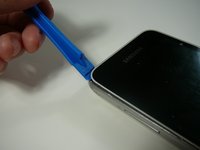
    • Locate the indent area highlighted in red and use either your fingernail or a Prying Tool (such as a guitar pick) to separate the back from the body of the phone.

    FixBotに聞いてみる
  2. Samsung Galaxy Express 3 Home Button Replacement: 手順 2、 3の画像 1 Samsung Galaxy Express 3 Home Button Replacement: 手順 2、 3の画像 2 Samsung Galaxy Express 3 Home Button Replacement: 手順 2、 3の画像 3
    • Once the cover is removed, locate the battery that reads "SAMSUNG."

    • Use either your fingernail or a Plastic Prying Tool (such as a guitar pick) to lift up the bottom indent of the battery.

    • Do not use a metal tool, as it can cause injury.

    FixBotに聞いてみる
  3. Samsung Galaxy Express 3 Home Button Replacement, Screen: 手順 3、 2の画像 1 Samsung Galaxy Express 3 Home Button Replacement, Screen: 手順 3、 2の画像 2
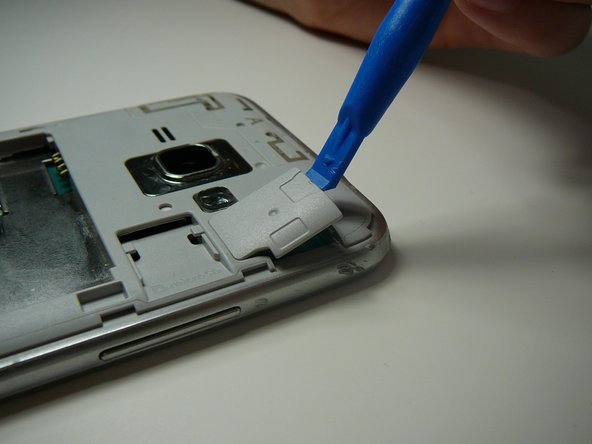
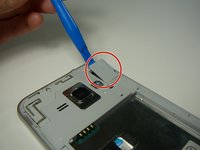
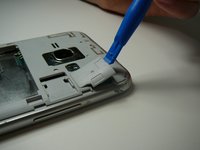
    • Use a Plastic Prying Tool (such as a spudger) to pop out piece shown.

    FixBotに聞いてみる
  4. Samsung Galaxy Express 3 Home Button Replacement: 手順 4、 1の画像 1
    • Detach the screen connector.

    FixBotに聞いてみる
  5. Samsung Galaxy Express 3 Home Button Replacement: 手順 5、 2の画像 1 Samsung Galaxy Express 3 Home Button Replacement: 手順 5、 2の画像 2
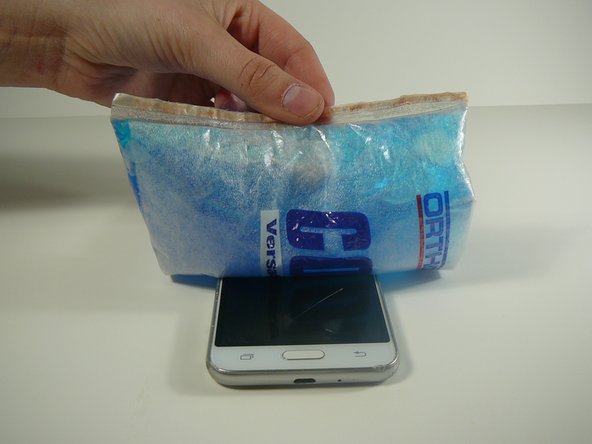
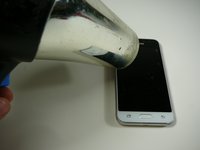
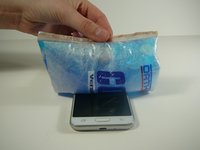
    • Use a blow dryer or heating pad to heat up the screen.

    • Do not skip this step, as it may result in a broken screen and/or LCD.

    • This step loosens the glue holding the screen in place.

    FixBotに聞いてみる
  6. Samsung Galaxy Express 3 Home Button Replacement: 手順 6、 3の画像 1 Samsung Galaxy Express 3 Home Button Replacement: 手順 6、 3の画像 2 Samsung Galaxy Express 3 Home Button Replacement: 手順 6、 3の画像 3
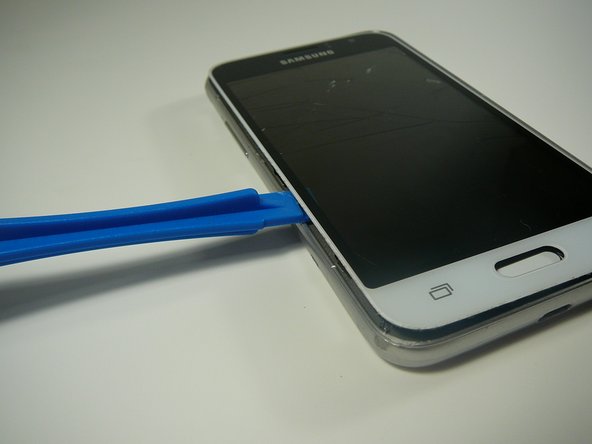
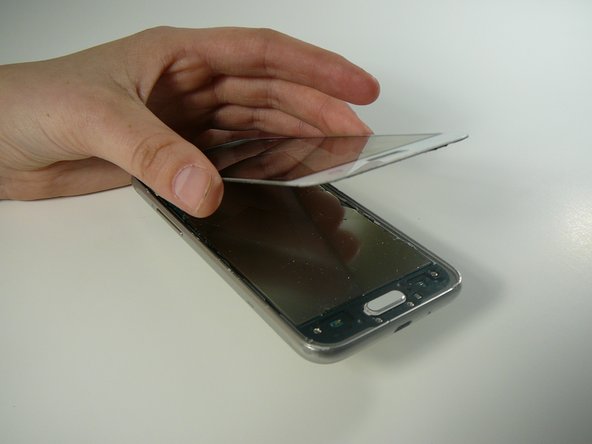
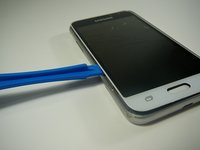
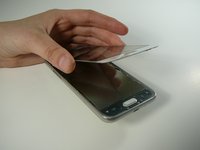
    • Use a Thin Plastic Tool (such as a guitar pick) or Plastic Prying Tool (such as a spudger) to lift out the glass digitizer and LCD screen around the edges.

    • Do this slowly and carefully, as both parts can crack very easily.

    • Ensure your tool is plastic, as a metal tool can damage the screen easily.

    FixBotに聞いてみる
  7. Samsung Galaxy Express 3 Home Button Replacement, Back and Recent Apps Touch Sensor Button(s): 手順 7、 2の画像 1 Samsung Galaxy Express 3 Home Button Replacement, Back and Recent Apps Touch Sensor Button(s): 手順 7、 2の画像 2
    • Use a plastic tool to remove back and/or recent tabs circuit buttons.

    • Use a plastic tool as a metal tool can be dangerous to the phone or you.

    FixBotに聞いてみる
  8. Samsung Galaxy Express 3 Home Button Replacement, Home Button: 手順 8、 2の画像 1 Samsung Galaxy Express 3 Home Button Replacement, Home Button: 手順 8、 2の画像 2
    • Use a #0 Phillips bit screwdriver to remove the four screws from the black, plastic piece surrounding the home button.

    • All four screws are the same size.

    FixBotに聞いてみる
  9. Samsung Galaxy Express 3 Home Button Replacement: 手順 9、 2の画像 1 Samsung Galaxy Express 3 Home Button Replacement: 手順 9、 2の画像 2
    • Using a sharp plastic tool such as a guitar pick or prying tool to pop up and remove the black, plastic piece.

    • Do not use a metal tool as it can be dangerous to you or the motherboard.

    FixBotに聞いてみる
  10. Samsung Galaxy Express 3 Home Button Replacement: 手順 10、 2の画像 1 Samsung Galaxy Express 3 Home Button Replacement: 手順 10、 2の画像 2
    • The white button will be connected to the black piece.

    • Slightly bend the black piece and gently push the white button until it pops out of the black, plastic piece.

    FixBotに聞いてみる
終わりに

To reassemble your device, follow these instructions in reverse order.

ある他の人がこのガイドを完成しました。

作成者

3人の作成者と共同で作成されました。

Mack Johnson

メンバー登録日: 04/05/18

996 ポイント

6のガイドは作成済み

チーム

0件のガイドコメント

コメントを追加

統計データ:

過去 24時間: 0

過去 7 日: 4

過去 30 日: 67

今までの合計 729