この翻訳は機械によって生成されたものであり、まだ人間による校正は行われていません。 日本語を話せますか? レビューはこちらから。
はじめに
デバイスからバッテリーを取り外します。作業を始める前に、タブレットの電源が完全に切れていることを確認してください。
必要な工具と部品
-
-
-
ガラスとプラスチックケースの隙間にプラスチック製オープニングツールまたはオープニングピックを差し込みます。
-
プラスチックの縁に沿ってツールを動かし、バックプレートのクリップを外します。
-
クリップが外れたらバックプレートを取り外します。多少の力が必要になる場合があります。
-
-
-
-
-
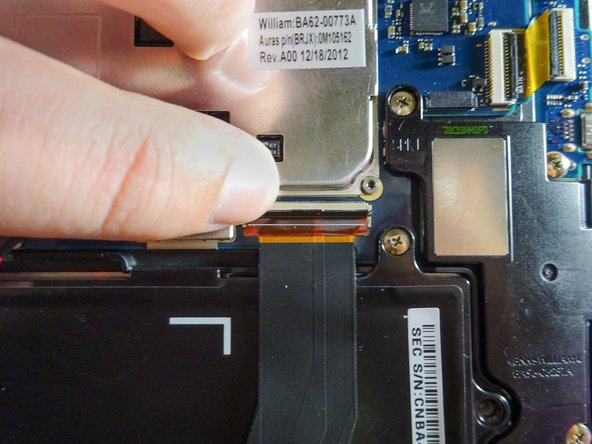
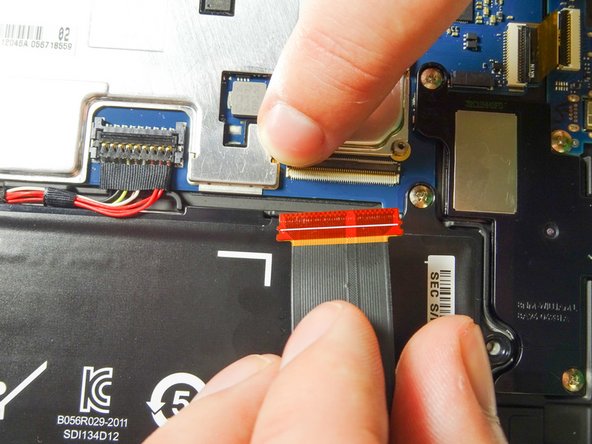
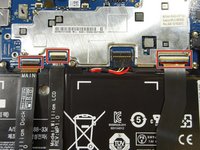
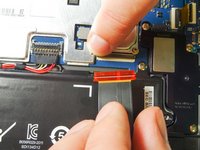
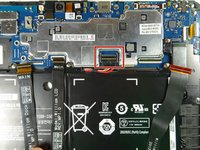
マザーボードから3本のリボンケーブルを取り外し、バッテリーを自由にします。
-
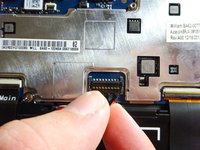
指を使って各ZIFコネクタの固定フラップを持ち上げます。
-
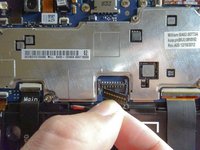
リボンケーブルをスライドさせて手前に引き抜きます。これで完全に取り外せます。
-
残りの2本のリボンケーブルも同様に行います。
-
-
-
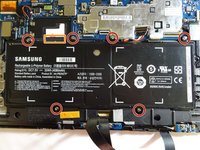
プラスドライバー (#00) を使い、3.5 mmのネジを6本外します。
-
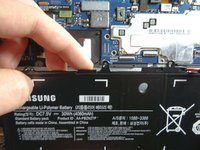
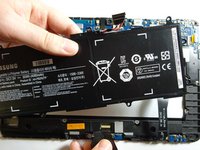
バッテリー上部にあるプルタブに指をかけ、手前に引き上げてバッテリーを取り出します。バッテリーは簡単に取り外せるはずです。
-
-


 FixBotに聞いてみる






デバイスを再組み立てするには、これらのインストラクションを逆の順番に従って作業を進めてください。
13 の人々がこのガイドを完成させました。

チーム

Baylor, Team 6-6, Williams Fall 2015 Baylor, Team 6-6, Williams Fall 2015人のメンバー
BU-WILLIAMS-F15S6G6
3 メンバー
30のガイドは作成済み
5件のガイドコメント
Do you have a battery for the Samsung ATIV Smart PC 700T1C?
calebjmartin - 返信 共有
If you're lucky, you'll replace the battery & off you go.
Unfortunately, a whole LOT of folks do this, to no avail.
If you pop for the new battery, keep the packing as new as you can in case it's NOT the issue-- at least you might recoup some of the money on Ebay.
After that, also sell your tablet on Ebay for parts because, with some units, you can change out parts all day long & it'll just never run again. Better to count your losses & do some homework this time to hopefully buy a more dependable product.
This series is just shocking at how many people have dead tablets in TWO years!
Shame on Samsung, for not recalling them. I guess they're big enough not to care....
I got my ativ500t last 2014. After a year, the dock is not working anymore. I went to the service center and paid because it's beyond warranty, but they could not solve the problem. They told me the motherboard was broken. After a yr?! Motherboard broken?! Since I cannot do anything about it, I just ditched the dock and used it as a tab, but less frequently. Now, after barely 3 yrs, it will not turn on. Nothing happened to it. It did not get wet or fell. It just fell dead suddenly. I cannot bear to say this, but I was wrong when I purchased this product. I did not get the value I paid for. It is on the pricey tablet pcs, but it did not even last for 3 full yrs considering I do not even use it that much because I have a PC and smartphone. I am very disappointed with samsung and its service center. Shame.
