この翻訳は機械によって生成されたものであり、まだ人間による校正は行われていません。 日本語を話せますか? レビューはこちらから。

Rexing V1P Plusのリアカメラの交換

Luke Blair とその他 3 人の作成者
最終更新日: 2026年8月19日
閲覧: 798
統計データ:
- 過去24時間:
- 2
- 過去7日:
- 13
- 過去30日:
- 60
- 今までの合計
- 798
コメント: 0
このガイドにコメントを投稿した人はいません。何かコメントはありませんか?(日本語可)
修理ガイドのコメントへ完了済み: 0 1
誰もこのガイドで修理を「完了」させていません。あなたが一番目になりませんか?
1人のユーザーがこのガイドを使って修理を「完了」させました。あなたもその一人です!素晴らしいです!
お気に入り: 0 1
誰もこのガイドをお気に入りに登録していません。一番最初の登録者になりませんか?
1人がこのガイドをお気に入りに登録しています。あなたもそのうちの一人です!
はじめに
手順 1 に進む ↓リアカメラの映像が記録されない、または画面に表示されない場合、リアカメラが損傷しているか故障している可能性があります。この修理ガイドでは、Rexing V1P Plusドライブレコーダーのリアカメラを取り外し、交換する方法を説明します。
必要な工具と部品
ツール


-
-
-
マウントリングで隠れていたカメラケースの小さな凹みを探します。
-
ケースの継ぎ目にスパッジャーを差し込み、ひねってカメラケースをこじ開けて外します。
-
スパッジャーを使って、残りの部分もこじ開けて外します。
-
リアカメラから天板を取り外します。
-
-


 FixBotに聞いてみる



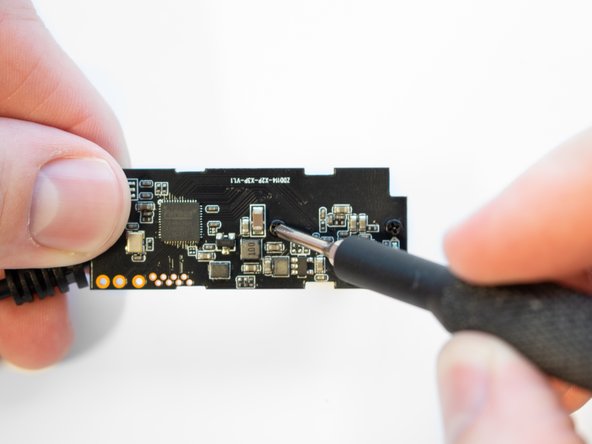
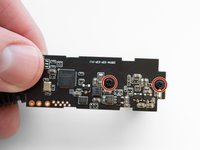

デバイスを再組み立てするには、これらのインストラクションを逆の順番に従って作業を進めてください。

チーム

Western Carolina University, Team 1-1, Virtue Spring 2023 Western Carolina University, Team 1-1, Virtue Spring 2023人のメンバー
WCU-VIRTUE-S23S1G1
4 メンバー
60のガイドは作成済み
