はじめに
If the device is not turning on at all and is not responding, follow this guide to do a mainboard replacement (PCB) of your Retroid Pocket 3 device. This process will take approximately 20-25 minutes, and the tools needed for the project are listed in the guide.
必要な工具と部品
-
-
Unplug any cables connected to the Retroid Pocket 3+.
-
Ensure your device has a charge of 5% or less as a charged battery can be dangerous if punctured.
 FixBotに聞いてみる
-
-
-
Remove the four 6 mm screws from the backplate of the device with a T5 Torx screwdriver.
-
Use a plastic opening tool or spudger to gently pry apart the backplate from the device.
-
-
-
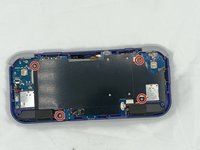
Remove the four 4.5 mm screws with a Phillips #00 screwdriver.
-
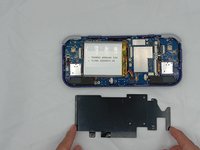
Lift off the metal plate.
-
-
-
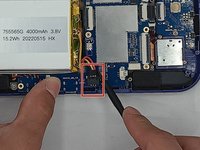
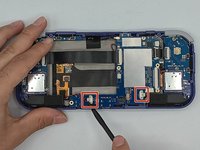
Use a plastic opening tool or spudger to unclip the battery connector.
-
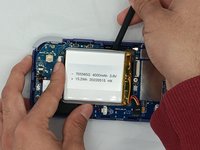
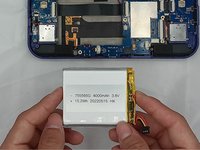
Carefully lift the battery from the case.
-
Lift and remove the battery.
-
-
-
-
Remove the three 4.5 mm screws with a Phillips #00 screwdriver on the main board.
-
-
-
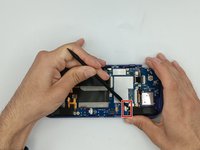
Using a spudger, put the tip under the aerial connecter and rotate upwards to unclip the plug.
-
-
-
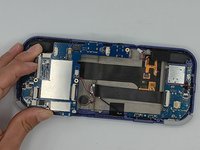
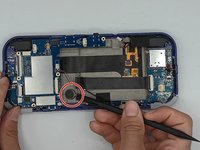
Start lifting the board to give you access to the vibration motor on the metal case.
-
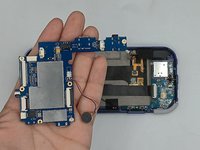
Use a spudger to carefully pry the motor free; it is bound with double-sided tape.
-
Carefully lift the board out of the device.
-








To reassemble your device, follow these instructions in reverse order.
ある他の人がこのガイドを完成しました。

チーム

University of North Texas, Team 4-7, Harold Spring 2024 University of North Texas, Team 4-7, Harold Spring 2024人のメンバー
UNT-HAROLD-S24S4G7
4 メンバー
6のガイドは作成済み
