メインコンテンツにスキップ
リペアコミュニティに参加 - アカウントの作成

Retro-Bit Retro Duo Circuit Board Replacement

必要な工具と部品

  1. Retro-Bit Retro Duo Circuit Board Replacement, Circuit Board: 手順 1、 3の画像 1 Retro-Bit Retro Duo Circuit Board Replacement, Circuit Board: 手順 1、 3の画像 2 Retro-Bit Retro Duo Circuit Board Replacement, Circuit Board: 手順 1、 3の画像 3
    • With the console on its top, remove the four 12 mm Phillips #2 screws.

    • There may be a sticker covering one or more of the screws. Simply remove the sticker before screw removal.

    • Flip the console on its feet. Carefully lift the top casing from the back (where the AV/S and power ports are).

    • To avoid damage, do not remove the top casing completely. There is a small LED circuit board connected to the main circuit board.

    FixBotに聞いてみる

    コメントを追加

  2. Retro-Bit Retro Duo Circuit Board Replacement: 手順 2、 3の画像 1 Retro-Bit Retro Duo Circuit Board Replacement: 手順 2、 3の画像 2 Retro-Bit Retro Duo Circuit Board Replacement: 手順 2、 3の画像 3
    • Remove the one 6 mm Phillips #0 LED circuit board screw.

    • Lift the top case and set aside.

    FixBotに聞いてみる

    コメントを追加

  3. Retro-Bit Retro Duo Circuit Board Replacement: 手順 3、 3の画像 1 Retro-Bit Retro Duo Circuit Board Replacement: 手順 3、 3の画像 2 Retro-Bit Retro Duo Circuit Board Replacement: 手順 3、 3の画像 3
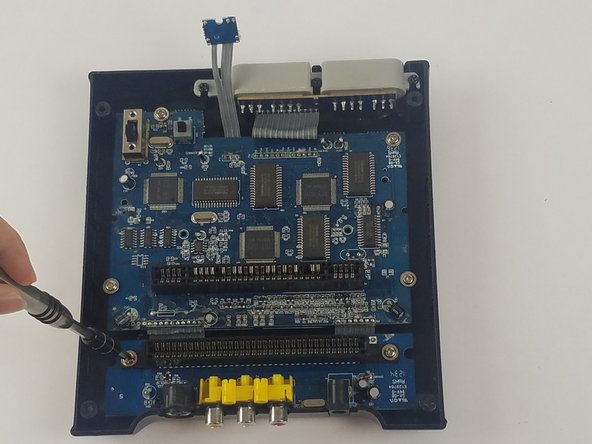
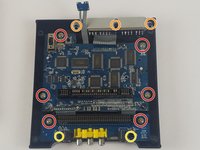
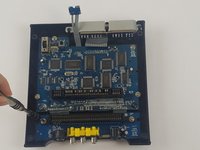
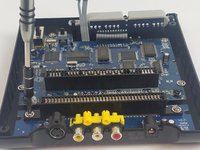
    • Remove the 11 screws holding the circuit boards and ports in place.

    • Six 11 mm Phillips #2 holding the circuit boards.

    • Three 12 mm Phillips #2 screws holding the controller ports.

    • Two 7 mm Philllips #2 screws holding the back ports

    FixBotに聞いてみる

    コメントを追加

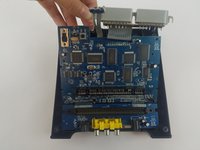
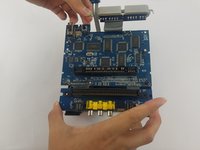
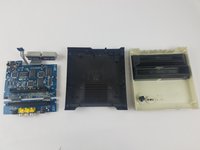
  4. Retro-Bit Retro Duo Circuit Board Replacement: 手順 4、 3の画像 1 Retro-Bit Retro Duo Circuit Board Replacement: 手順 4、 3の画像 2 Retro-Bit Retro Duo Circuit Board Replacement: 手順 4、 3の画像 3
    • Carefully lift the circuit board while holding either the AV or controller ports. Alternatively, you can hold the circuit board on its edges.

    • Make sure to lift the circuit board completely out of the bottom case.

    • To avoid damage, do not to touch the top or bottom faces of the circuit board.

    FixBotに聞いてみる

    コメントを追加

終わりに

To reassemble your device, follow these instructions in reverse order.

キャンセル: このガイドを終了できませんでした。

作成者

3人の作成者と共同で作成されました。

Truong Vo

メンバー登録日: 09/25/17

324 ポイント

3のガイドは作成済み

チーム

USF Tampa, Team S4-G4, Eyestone Fall 2017 USF Tampa, Team S4-G4, Eyestone Fall 2017人のメンバー

USFT-EYESTONE-F17S4G4

3 メンバー

10のガイドは作成済み

1件のガイドコメント

I hope you show the second part were you replace the 72pin connector. Please include part source.

The 72 pin connector grabs too tightly on the cart.

Thanks.

George Tedrick - 返信 共有

コメントを追加

統計データ:

過去 24時間: 1

過去 7 日: 19

過去 30 日: 56

今までの合計 3,199