メインコンテンツにスキップ
リペアコミュニティに参加 - アカウントの作成

Rear Case Replacement

必要な工具と部品

    1. Rear Case Replacement, Rear Case: 手順 1、 3の画像 1 Rear Case Replacement, Rear Case: 手順 1、 3の画像 2 Rear Case Replacement, Rear Case: 手順 1、 3の画像 3
      • Remove the seven highlighted screws shown here.

      • Screws are teeny tiny, don't lose them!

      FixBotに聞いてみる

      コメントを追加

    2. Rear Case Replacement: 手順 2、 2の画像 1 Rear Case Replacement: 手順 2、 2の画像 2
      • Remove this final screw from the memory card compartment.

      • Remove the chassis by pulling the back cover away from the camera.

      • Be careful not to damage any of the delicate ribbon cables when removing the chassis.

      FixBotに聞いてみる

      コメントを追加

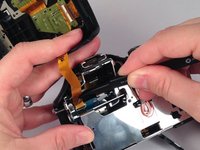
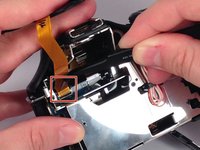
    3. Rear Case Replacement: 手順 3、 2の画像 1 Rear Case Replacement: 手順 3、 2の画像 2
      • Gently but forcefully lift up on the parallel cable connecting the two halves of the camera.

      FixBotに聞いてみる

      コメントを追加

ゴール

キャンセル: このガイドを終了できませんでした。

4 の人々がこのガイドを完成させました。

作成者

6人の作成者と共同で作成されました。

Leonard Holloman

メンバー登録日: 08/31/15

662 ポイント

4のガイドは作成済み

チーム

USF Tampa, Team 4-4, Meier Fall 2015 USF Tampa, Team 4-4, Meier Fall 2015人のメンバー

USFT-MEIER-F15S4G4

4 メンバー

10のガイドは作成済み

0件のガイドコメント

コメントを追加

統計データ:

過去 24時間: 0

過去 7 日: 14

過去 30 日: 40

今までの合計 1,139