はじめに
G4 PowerBooksのPRAMバッテリーは、日付と時刻の情報にエラーを引き起こす、交換を必要とする部品です。いくつかの簡単な手順でバッテリーを交換することができます。
必要な工具と部品
-
-
-
コンピューターからPRAMバッテリー基板(モジュール)を取り外す必要があります。G4 PowerBook ガイド を参照してください。
-
新しいバッテリーを取り付けるときに混乱を避けるために、正(+)側が接続されている場所をメモしてください。
-
はんだ付けが必要な場所は2つだけです。
 FixBotに聞いてみる
-
-
-
はんだごての先端を1つ目の(電池の)接合部に置き、はんだが液化してバッテリーの端子を引き離すまでそこに保持します。
-
2つ目のはんだ接合部についても同じことをしてください。
-
-
-
-
バッテリー端子を残りのはんだ接合箇所に直接置きます。
-
はんだごてを使用して、はんだが液化してバッテリー端子に結合するまではんだごてを当て続けます。
-
他のはんだ付け箇所で同じことをして、完了です。
-
-


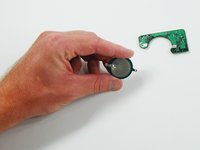
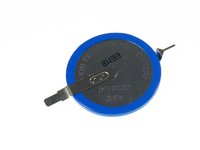


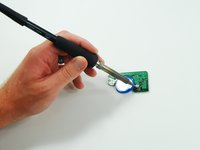
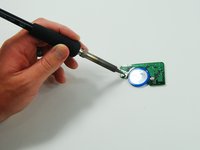
このガイドの指示に従って作業することで、PRAMバッテリーを再取り付けし、をコンピューターに戻すことができます。
24 の人々がこのガイドを完成させました。
以下の翻訳者の皆さんにお礼を申し上げます:
100%

bockring_elecさんは世界中で修理する私たちを助けてくれています! あなたも貢献してみませんか?
翻訳を始める ›


8件のガイドコメント
I posted details, and a source for the battery, over on the Powerbook G4 15” PRAM battery replacement page: PowerBook G4 Aluminum 15インチ 1-1.5 GHz PRAMバッテリーの交換
It should be the same thing here.
Be careful! Not all Powerbooks have this one battery. My 17” Powerbook G4 Aluminium has two CGL 2430. The board looks much different to the one in the above photos. The batteries are smaller (smaller diameter), and the module is longer and narrower. I just opened my Powerbook G4 to replace the battery, just to realise that I bought the wrong battery!!
