メインコンテンツにスキップ

Polaroid Flip Bottom Shell Replacement

必要な工具と部品

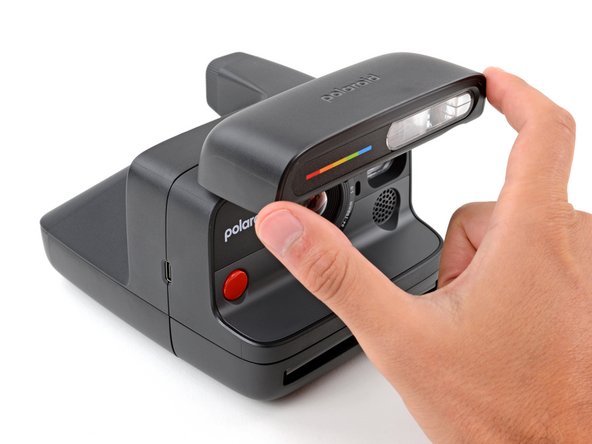
  1. Polaroid Flip Bottom Shell Replacement, Before you begin: 手順 1、 3の画像 1 Polaroid Flip Bottom Shell Replacement, Before you begin: 手順 1、 3の画像 2 Polaroid Flip Bottom Shell Replacement, Before you begin: 手順 1、 3の画像 3
    • If you have any film left, take some photos! Then remove the cartridge. Disassembly will expose any leftover film.

    • Before you begin:

    • Unplug all cables from your camera.

    • Fully close the flash unit at the front of the camera to turn it off.

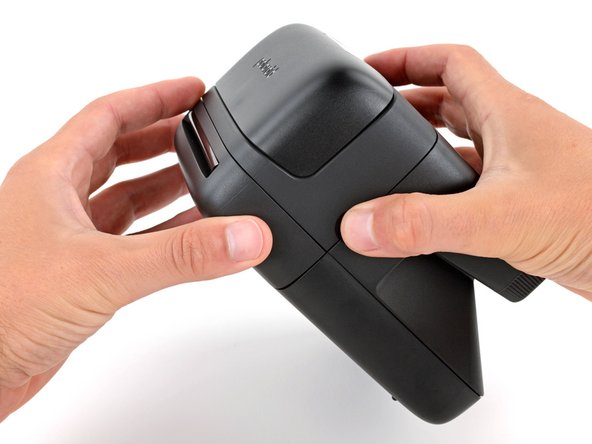
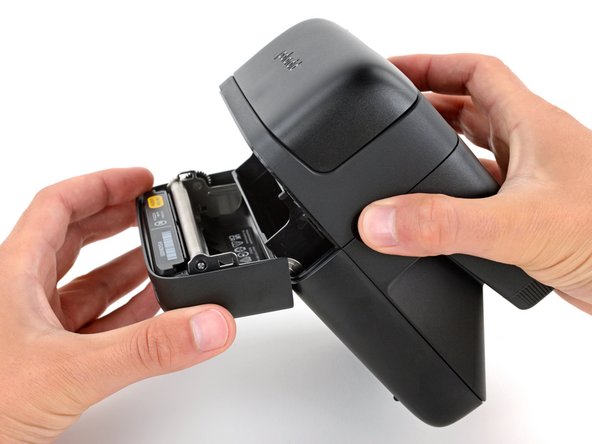
  2. Polaroid Flip Bottom Shell Replacement, Open the film door: 手順 2、 3の画像 1 Polaroid Flip Bottom Shell Replacement, Open the film door: 手順 2、 3の画像 2 Polaroid Flip Bottom Shell Replacement, Open the film door: 手順 2、 3の画像 3
    • Throughout this guide, directional words (front, back, left, right) are from the perspective of using the camera—or when the lens faces away from you.

    • Hold down the latch on the left side of the camera and open the film door.

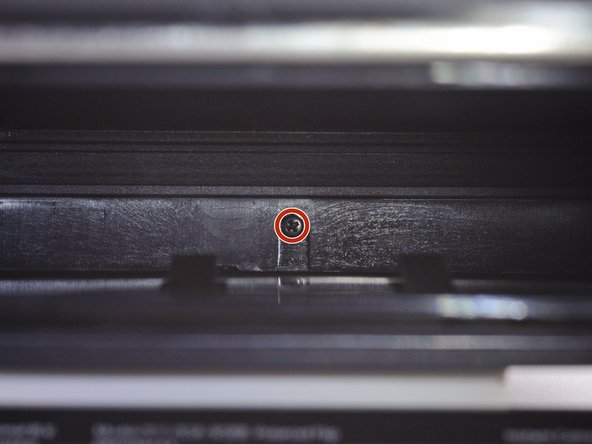
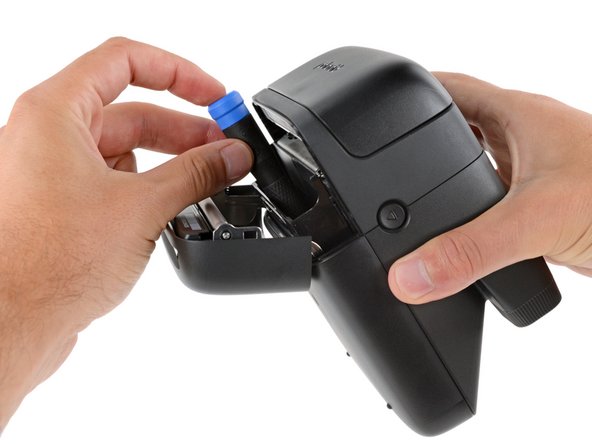
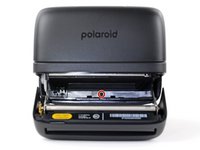
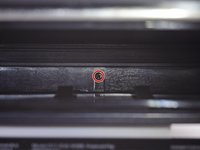
  3. Polaroid Flip Bottom Shell Replacement, Remove the bottom shell screw: 手順 3、 3の画像 1 Polaroid Flip Bottom Shell Replacement, Remove the bottom shell screw: 手順 3、 3の画像 2 Polaroid Flip Bottom Shell Replacement, Remove the bottom shell screw: 手順 3、 3の画像 3
    この手順で使用する道具:
    Magnetic Project Mat
    $16.96
    • Throughout this repair, keep track of each screw and make sure it goes back exactly where it came from.

    • Use a Phillips screwdriver to remove the 5.9 mm‑long screw securing the rear shell.

    • The screw is hidden inside the camera on the back edge—you may need to use a flashlight to see it, as well as a skinny, long‑shank screwdriver to reach it.

    • Be careful when removing your screwdriver, as the screw can easily fall inside the camera. If it does, hold the camera above your work surface and gently shake it so the screw falls out.

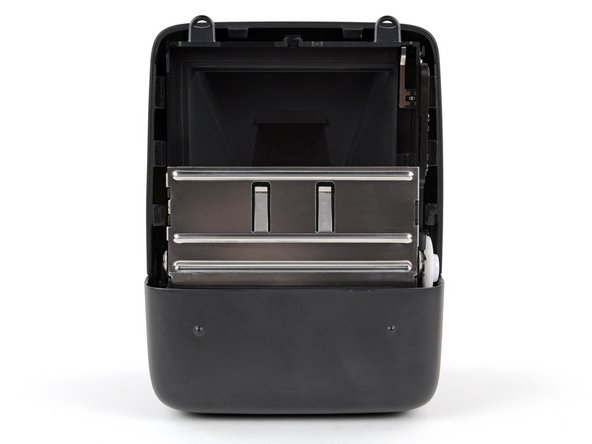
  4. Polaroid Flip Bottom Shell Replacement, Camera mirror warning: 手順 4、 2の画像 1 Polaroid Flip Bottom Shell Replacement, Camera mirror warning: 手順 4、 2の画像 2
    • Removing the bottom shell in the next step exposes the camera mirror. Be careful not to smudge it or get any debris on it. If you accidentally do, use a lint‑free cloth to gently wipe the mirror clean.

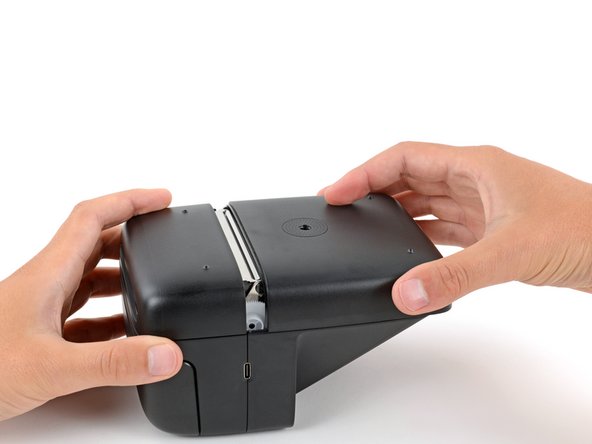
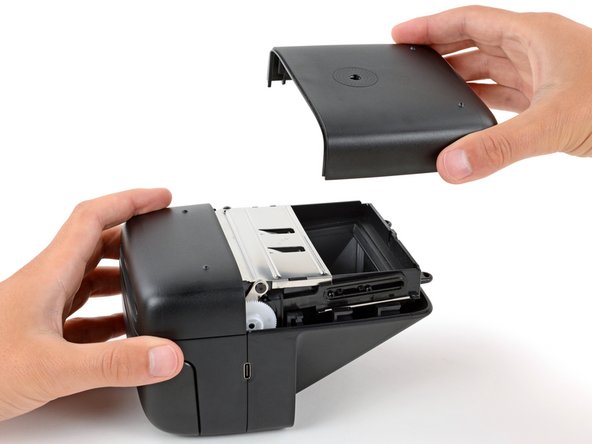
  5. Polaroid Flip Bottom Shell Replacement, Remove the bottom shell: 手順 5、 3の画像 1 Polaroid Flip Bottom Shell Replacement, Remove the bottom shell: 手順 5、 3の画像 2 Polaroid Flip Bottom Shell Replacement, Remove the bottom shell: 手順 5、 3の画像 3
    • Slide the bottom shell towards the back of the camera to release the clips securing it.

    • Lift and remove the shell.

    • During reassembly:

    • Place the shell onto the frame so it hangs over the back about about half an inch (~13 mm), creating a gap near the center of the camera. This allows room for the clips to slide into place.

    • Push down on the shell and slide it towards the front of the camera to engage the clips—you should feel them slide into place.

終わりに

To reassemble your device, follow these instructions in reverse order.

Repair didn’t go as planned? Try some basic troubleshooting, or ask our Answers community for help.


作成者

2人の作成者と共同で作成されました。

Spencer Day

メンバー登録日: 09/14/22

149,369 ポイント

995のガイドは作成済み

チーム

iFixit iFixit人のメンバー

Staff

123 メンバー

23,611のガイドは作成済み

0件のガイドコメント

コメントを追加

統計データ:

過去 24時間: 0

過去 7 日: 1

過去 30 日: 12

今までの合計 158