メインコンテンツにスキップ
リペアコミュニティに参加 - アカウントの作成

Philips DC320 37 Connector Replacement

必要な工具と部品

  1. Philips DC320 37 Connector Replacement, Docking entertainment system: 手順 1、 1の画像 1
    • Pry off the four white feet with the pointed end of the spudger

    FixBotに聞いてみる

    コメントを追加

  2. Philips DC320 37 Connector Replacement: 手順 2、 1の画像 1
    • Gently unscrew the four 15.5 mm Phillips #2 screws that hold the bottom panel to the dock.

    FixBotに聞いてみる

    コメントを追加

  3. Philips DC320 37 Connector Replacement: 手順 3、 1の画像 1
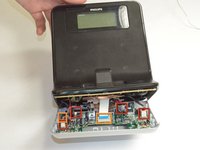
    • Use the flat end of the spudger to pry the lid off from the two connectors holding it to the body of the dock.

    • The connectors on the panel are fragile and may break.

    FixBotに聞いてみる

    コメントを追加

  4. Philips DC320 37 Connector Replacement: 手順 4、 3の画像 1 Philips DC320 37 Connector Replacement: 手順 4、 3の画像 2 Philips DC320 37 Connector Replacement: 手順 4、 3の画像 3
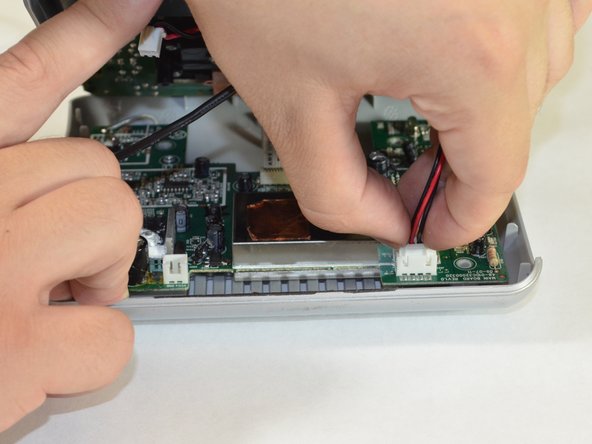
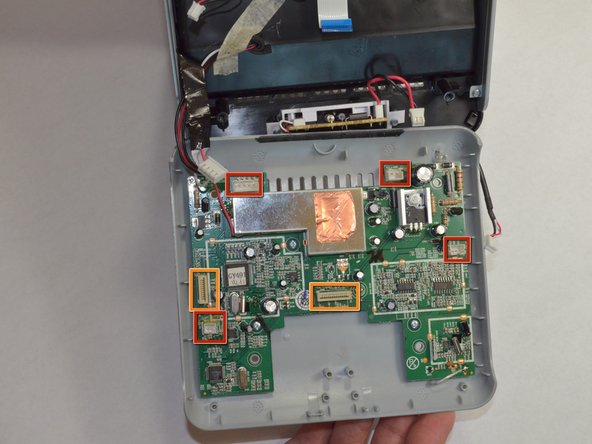
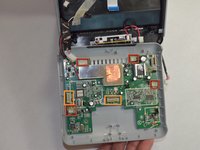
    • Carefully pull up and out the four electrical connectors and two ribbon connectors that connect the bottom panel to the dock.

    • Electrical Connectors

    • Ribbon Connectors

    • The cables do not have a lot of slack in them. Be careful not to break the connectors.

    • One wire is soldered onto the bottom panel. Be careful not to break this bond.

    FixBotに聞いてみる

    コメントを追加

  5. Philips DC320 37 Connector Replacement, Connector: 手順 5、 1の画像 1
    • Pull the copper plate out of the way of the two Phillips #00 screws in the middle of the connector.

    FixBotに聞いてみる

    コメントを追加

  6. Philips DC320 37 Connector Replacement: 手順 6、 1の画像 1
    • Unscrew the two 7 mm Phillips #00 screws holding the connector together.

    • Unscrew the four 5 mm Phillips #00 screws holding the connector to the dock

    FixBotに聞いてみる

    コメントを追加

  7. Philips DC320 37 Connector Replacement: 手順 7、 3の画像 1 Philips DC320 37 Connector Replacement: 手順 7、 3の画像 2 Philips DC320 37 Connector Replacement: 手順 7、 3の画像 3
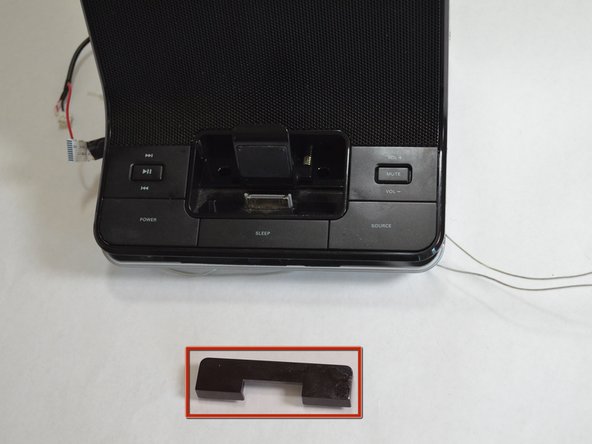
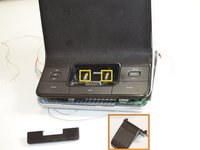
    • Turn the dock so that you are looking at the front of the dock.

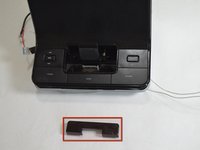
    • Pull out the black U-shaped piece.

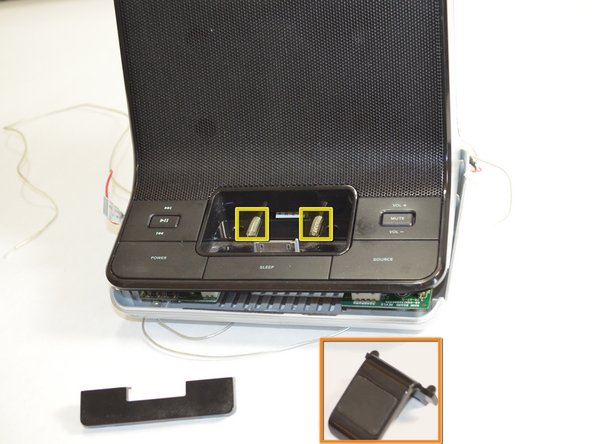
    • Pull out the iPhone/iPod support cradle.

    • Pull out the two springs.

    FixBotに聞いてみる

    コメントを追加

  8. Philips DC320 37 Connector Replacement: 手順 8、 1の画像 1
    • Turn the dock so that you are looking at the bottom of the dock.

    • Pop out the black connector frame and attached circuit board from the body of the dock.

    FixBotに聞いてみる

    コメントを追加

終わりに

To reassemble your device, follow these instructions in reverse order.

キャンセル: このガイドを終了できませんでした。

作成者

5人の作成者と共同で作成されました。

Greg Lane

メンバー登録日: 04/16/13

39 ポイント

4のガイドは作成済み

チーム

Cal Poly, Team 3-48, Amido Spring 2013 Cal Poly, Team 3-48, Amido Spring 2013人のメンバー

CPSU-AMIDO-S13S3G48

4 メンバー

7のガイドは作成済み

0件のガイドコメント

コメントを追加

統計データ:

過去 24時間: 2

過去 7 日: 7

過去 30 日: 23

今までの合計 1,480