はじめに
Removing the bottom cover will give you access to the slow speed governor and allow you to inspect parts of the winding mechanism in the camera. Further disassembly is usually required to make a repair.
必要な工具と部品
-
-
-
Remove three M1.7 x 2.0 mm countersunk screws.
-
Lift off bottom cover.
-
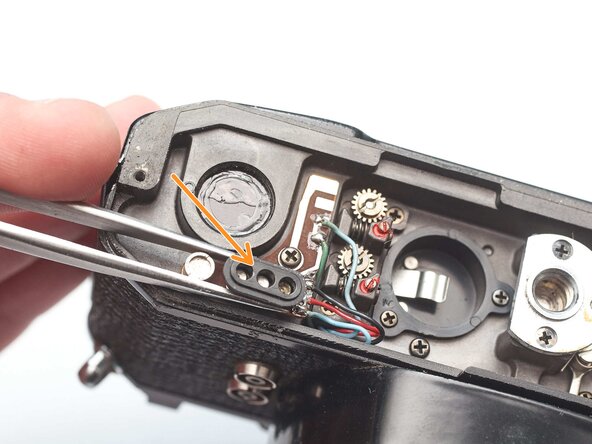
Remove loose plastic housing for motor drive contacts.
 FixBotに聞いてみる
-
-
-



終わりに
To reassemble your device, follow these instructions in reverse order.

