メインコンテンツにスキップ
リペアコミュニティに参加 - アカウントの作成

Olympus D590 Lens Replacement

必要な工具と部品

  1. Olympus D590 Lens Replacement, Face Plate: 手順 1、 1の画像 1
    • Remove five baseplate screws using a Phillips #00 screwdriver.

    FixBotに聞いてみる

    コメントを追加

  2. Olympus D590 Lens Replacement: 手順 2、 1の画像 1
    この手順で使用する道具:
    Tweezers
    $4.99
    • Press and slide the battery cover retainer clip to the left. Use tweezers to lift the battery cover away.

    FixBotに聞いてみる

    コメントを追加

  3. Olympus D590 Lens Replacement: 手順 3、 1の画像 1
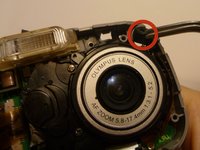
    • Remove the single screw from the battery housing using a Phillips #00 screwdriver.

    FixBotに聞いてみる
    コメントを追加

  4. Olympus D590 Lens Replacement: 手順 4、 1の画像 1
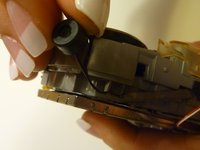
    • Using tweezers, lift the rubber plate to expose the ports.

    FixBotに聞いてみる
    コメントを追加

  5. Olympus D590 Lens Replacement: 手順 5、 1の画像 1
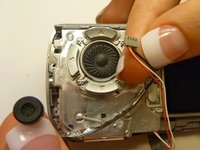
    • Remove two screws from the ports using a Phillips #00 screwdriver.

    FixBotに聞いてみる
    コメントを追加

  6. Olympus D590 Lens Replacement: 手順 6、 1の画像 1
    • Use a spudger to pry the faceplate away from the rest of the camera.

    FixBotに聞いてみる

    コメントを追加

  7. Olympus D590 Lens Replacement: 手順 7、 1の画像 1
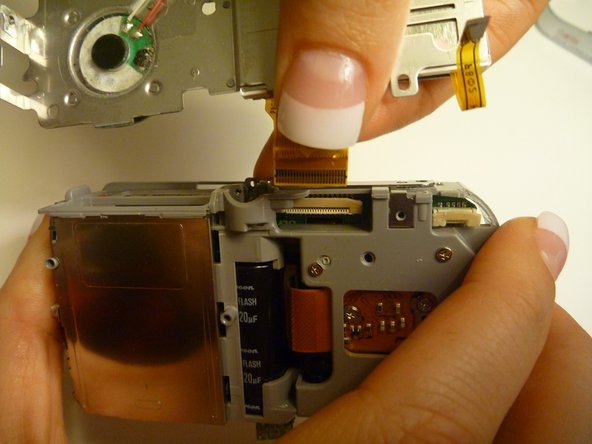
    • To avoid disconnection of the connector line to the motherboard, use caution when pulling faceplate away from camera case.

    • Damage to the connector line will prevent the on/off power switch's operational function.

    FixBotに聞いてみる
    コメントを追加

  8. Olympus D590 Lens Replacement, Backplate: 手順 8、 1の画像 1
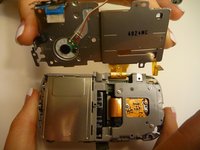
    • Using a Phillips #00 screwdriver, remove three screws fastened to the camera backplate edge.

    FixBotに聞いてみる
    コメントを追加

  9. Olympus D590 Lens Replacement: 手順 9、 1の画像 1
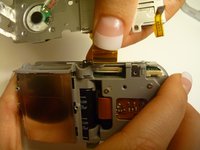
    • Using a Phillips #00 screwdriver, remove the two camera flash screws secured to either side of bulb housing component.

    FixBotに聞いてみる
    コメントを追加

  10. Olympus D590 Lens Replacement: 手順 10、 1の画像 1
    • Using an iFixit opening tool, pry the backplate from the camera internal housing component.

    FixBotに聞いてみる

    コメントを追加

  11. Olympus D590 Lens Replacement: 手順 11、 1の画像 1
    • Pull the backplate away from the camera internal housing component.

    FixBotに聞いてみる

    コメントを追加

  12. Olympus D590 Lens Replacement, LCD Screen: 手順 12、 1の画像 1
    • Remove one screw Phillips #00 from the right side of the LCD screen camera internal housing component.

    FixBotに聞いてみる

    コメントを追加

  13. Olympus D590 Lens Replacement: 手順 13、 2の画像 1 Olympus D590 Lens Replacement: 手順 13、 2の画像 2
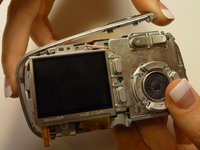
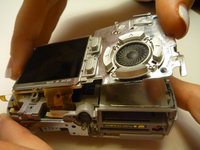
    • To check that all screws are removed from the exterior side panel, gradually slide and lift no more than 3cm away from the camera internal component body.

    FixBotに聞いてみる

    コメントを追加

  14. Olympus D590 Lens Replacement: 手順 14、 2の画像 1 Olympus D590 Lens Replacement: 手順 14、 2の画像 2
    この手順で使用する道具:
    Tweezers
    $4.99
    • View the front of the camera internal housing component.

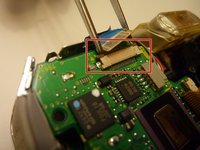
    • Using tweezers, detach the gray connector and blue wiring tape.

    • Be cautious to gently wiggle and pull blue wiring tape and gray wire connector during detachment.

    FixBotに聞いてみる

    コメントを追加

  15. Olympus D590 Lens Replacement: 手順 15、 2の画像 1 Olympus D590 Lens Replacement: 手順 15、 2の画像 2
    • View the top of the camera internal housing component.

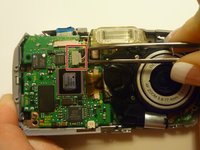
    • Using tweezers, gently lift the black tape exposing all connector wires.

    FixBotに聞いてみる

    コメントを追加

  16. Olympus D590 Lens Replacement: 手順 16、 1の画像 1
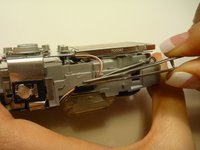
    • View the bottom of the camera internal housing component.

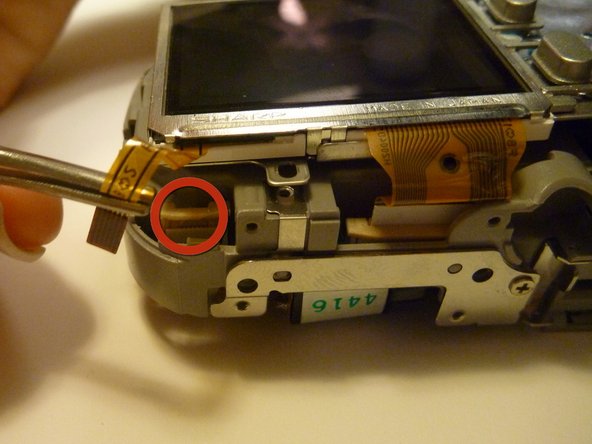
    • Caution: Keep yellow taped wire attached to the LCD screen.

    • Use tweezers to gently wiggle, pull, and detach tape from the surface of the camera internal housing component.

    FixBotに聞いてみる

    コメントを追加

  17. Olympus D590 Lens Replacement: 手順 17、 3の画像 1 Olympus D590 Lens Replacement: 手順 17、 3の画像 2 Olympus D590 Lens Replacement: 手順 17、 3の画像 3
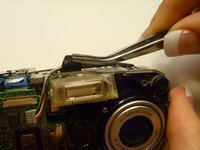
    • View the front of the camera internal housing component.

    • Using tweezers, gently lift the speaker, cautiously maneuvering the wire away from the side of the internal housing component toward the front of the camera internal housing component.

    FixBotに聞いてみる

    コメントを追加

  18. Olympus D590 Lens Replacement: 手順 18、 2の画像 1 Olympus D590 Lens Replacement: 手順 18、 2の画像 2
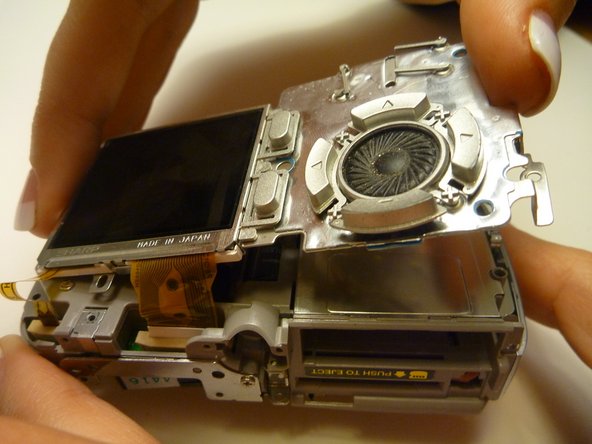
    • Gently lift the LCD screen away from the camera internal housing component hinging the thick yellow wiring tape attached to the camera internal housing component.

    • Use a forefinger and thumb to gently pull the thick yellow wiring tape out of the camera internal housing component.

    FixBotに聞いてみる

    コメントを追加

  19. Olympus D590 Lens Replacement, Lens: 手順 19、 1の画像 1
    • Flip the camera so you are looking at the back.

    • Looking at the back of the camera, remove the 3 screws behind the camera lens.

    FixBotに聞いてみる

    コメントを追加

  20. Olympus D590 Lens Replacement: 手順 20、 1の画像 1
    • Flip the camera so that the front lens is facing up.

    • Disconnect the lens from the logic board.

    FixBotに聞いてみる

    コメントを追加

  21. Olympus D590 Lens Replacement: 手順 21、 1の画像 1
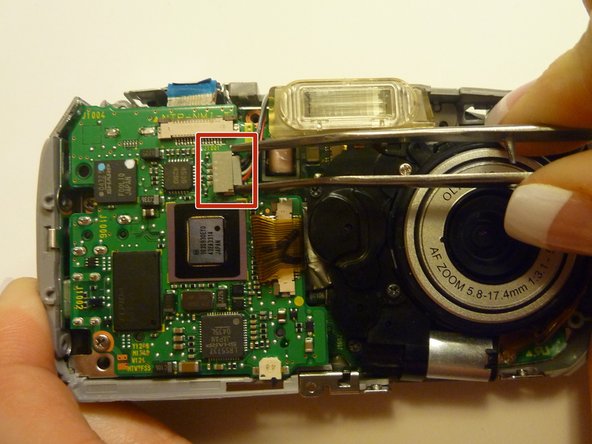
    • Flip the camera back over so that the back of the camera is facing you, and the lens in facing away.

    • Disconnect the wire that connects the logic board to the lens assembly.

    • Gently pull back on the wire to disconnect it safely.

    FixBotに聞いてみる

    コメントを追加

  22. Olympus D590 Lens Replacement: 手順 22、 1の画像 1
    • Flip the camera back around so that the front is facing you.

    • Carefully lift the lens assembly out of the camera.

    FixBotに聞いてみる

    コメントを追加

終わりに

To reassemble your device, follow these instructions in reverse order.

キャンセル: このガイドを終了できませんでした。

作成者

10人の作成者と共同で作成されました。

Joshua

メンバー登録日: 04/15/10

7 ポイント

2のガイドは作成済み

チーム

Cal Poly, Team 28-23, Regan Spring 2010 Cal Poly, Team 28-23, Regan Spring 2010人のメンバー

CPSU-REGAN-S10S28G23

4 メンバー

14のガイドは作成済み

0件のガイドコメント

コメントを追加

統計データ:

過去 24時間: 2

過去 7 日: 10

過去 30 日: 40

今までの合計 2,929