メインコンテンツにスキップ
リペアコミュニティに参加 - アカウントの作成

Olympus 850SW Battery Replacement

必要な工具と部品

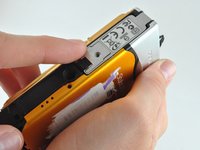
  1. Olympus 850SW Battery Replacement, Battery: 手順 1、 1の画像 1
    • Locate the battery compartment on the bottom panel of the camera.

    FixBotに聞いてみる

    コメントを追加

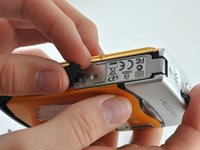
  2. Olympus 850SW Battery Replacement: 手順 2、 2の画像 1 Olympus 850SW Battery Replacement: 手順 2、 2の画像 2
    • Using a PH00 Phillips Screwdriver, unscrew the one screw located on the latch.

    FixBotに聞いてみる

    コメントを追加

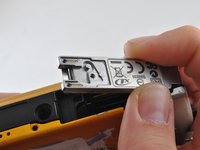
  3. Olympus 850SW Battery Replacement: 手順 3、 3の画像 1 Olympus 850SW Battery Replacement: 手順 3、 3の画像 2 Olympus 850SW Battery Replacement: 手順 3、 3の画像 3
    • Find the arrows on the compartment, remove the small black plastic piece, and release the latch.

    FixBotに聞いてみる

    コメントを追加

  4. Olympus 850SW Battery Replacement: 手順 4、 1の画像 1
    • Allow the latch to completely open and insert the battery, with the writing side up.

    • The battery slot is the bigger slot. The smaller slot is for the memory card.

    FixBotに聞いてみる

    コメントを追加

  5. Olympus 850SW Battery Replacement: 手順 5、 1の画像 1
    • Close the latch. You will hear a click when the compartment is fully closed.

    FixBotに聞いてみる

    コメントを追加

  6. Olympus 850SW Battery Replacement: 手順 6、 1の画像 1
    • Place the small black piece back in its' place.

    FixBotに聞いてみる

    コメントを追加

  7. Olympus 850SW Battery Replacement: 手順 7、 1の画像 1
    • Place the metal cover back over the closed latch, and screw the screw back in.

    FixBotに聞いてみる

    コメントを追加

終わりに

To reassemble your device, follow these instructions in reverse order.

キャンセル: このガイドを終了できませんでした。

ある他の人がこのガイドを完成しました。

作成者

3人の作成者と共同で作成されました。

Emma Fincken

メンバー登録日: 01/30/15

500 ポイント

4のガイドは作成済み

チーム

University of Kentucky Louisville, Team 1-3, Rountree Winter 2015 University of Kentucky Louisville, Team 1-3, Rountree Winter 2015人のメンバー

LOUISVILLE-ROUNTREE-W15S1G3

3 メンバー

12のガイドは作成済み

0件のガイドコメント

コメントを追加

統計データ:

過去 24時間: 0

過去 7 日: 15

過去 30 日: 57

今までの合計 1,397