メインコンテンツにスキップ
リペアコミュニティに参加 - アカウントの作成

Nokia 6590i SIM Card Replacement

  1. Nokia 6590i SIM Card Replacement, Battery: 手順 1、 2の画像 1 Nokia 6590i SIM Card Replacement, Battery: 手順 1、 2の画像 2
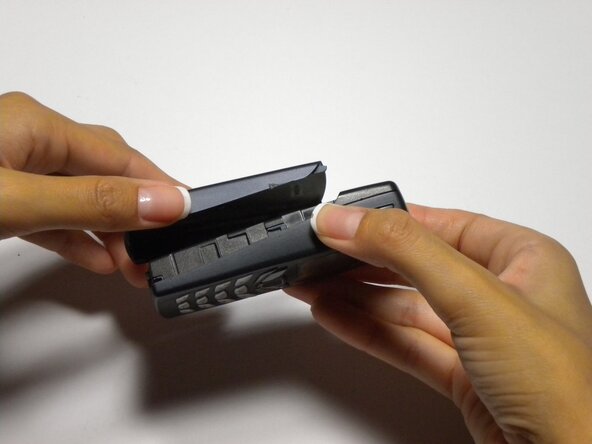
    • Press the button on the bottom of the rear cover.

    • Keep the button pressed while pulling the cover downward to remove the back cover.

    • Lift the cover off.

  2. Nokia 6590i SIM Card Replacement: 手順 2、 1の画像 1
    • Push the battery down from the top and pull it out.

  3. Nokia 6590i SIM Card Replacement, SIM Card: 手順 3、 1の画像 1
    • Open the small door covering The SIM card by pulling down from the top

  4. Nokia 6590i SIM Card Replacement: 手順 4、 1の画像 1
    • Lift the SIM card out of the phone

終わりに

To reassemble your device, follow these instructions in reverse order.

作成者

2人の作成者と共同で作成されました。

Colby Leslie

メンバー登録日: 10/05/10

13 ポイント

7のガイドは作成済み

チーム

Cal Poly, Team 22-3, Maness Fall 2010 Cal Poly, Team 22-3, Maness Fall 2010人のメンバー

CPSU-MANESS-F10S22G3

4 メンバー

9のガイドは作成済み

0件のガイドコメント

コメントを追加

統計データ:

過去 24時間: 0

過去 7 日: 0

過去 30 日: 2

今までの合計 1,101